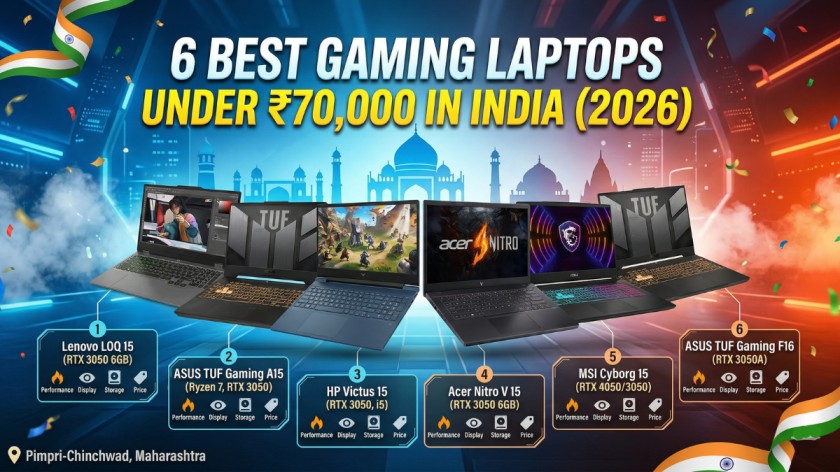
6 Best Gaming Laptops Under ₹70,000 in India (2026)
A Deeply Researched, No-BS Guide for Indian Gamers — Updated April 2026
Before You Buy: What Actually Matters in a Gaming Laptop Under ₹70,000
Let’s be honest upfront — ₹70,000 is a real budget in India, and the gaming laptop market at this price point can be confusing, misleading, and occasionally outright predatory. Some laptops look powerful on paper but throttle immediately under load. Others have GPUs so underpowered they shouldn’t carry the word “gaming” anywhere near them.
This guide exists to cut through that noise. We’ve researched current Indian pricing across Amazon, Flipkart, and Croma, dug into real buyer reviews, benchmarks, and thermal data to build a list that actually helps you make the right call.
The Budget Gaming Laptop Cheat Sheet (Read This First)
Before we get to the laptops, here are five things you absolutely must understand about this price segment:
The GPU is everything. A gaming laptop’s GPU (graphics card) is the single most important spec. At this price, look for NVIDIA GeForce RTX 3050 (6GB VRAM minimum — avoid the 4GB version) or RTX 4050. The RTX 4050 is significantly better and worth hunting for within budget.
TGP (Total Graphics Power) matters more than GPU model alone. Two laptops can both say “RTX 3050” and perform wildly differently. A 95W TGP RTX 3050 will outperform a 45W TGP RTX 3050 by a large margin. Always check TGP specs before buying.
Refresh rate is not optional. If you’re gaming, you want at least 144Hz on the display. The difference between 60Hz and 144Hz in games like Valorant or BGMI is not subtle — it’s night and day.
16GB RAM is the minimum in 2026. Avoid any gaming laptop with 8GB RAM at this price. Modern games regularly breach 12GB+ system memory usage, especially when you have Discord, a browser, and your game open simultaneously.
Battery life will disappoint you. This is a guarantee, not a risk. Gaming laptops under ₹70,000 deliver 3–6 hours under gaming load. Plan to game plugged in. Full stop.
With that foundation, here are the 6 best gaming laptops under ₹70,000 in India in 2026 — ranked, reviewed, and honest.
Quick Comparison Table
| Laptop | GPU | Price (approx.) | Display | Weight | Best For |
|---|---|---|---|---|---|
| Lenovo LOQ 15 (RTX 3050 6GB) | RTX 3050 6GB / 95W | ₹63,000–68,000 | 15.6″ FHD 144Hz | 2.4 kg | Best overall pick |
| ASUS TUF Gaming A15 (Ryzen 7) | RTX 3050 4GB | ₹65,000–70,000 | 15.6″ FHD 144Hz | 2.3 kg | Best build quality |
| HP Victus 15 (RTX 3050 / i5) | RTX 3050 6GB | ₹60,000–68,000 | 15.6″ FHD 144Hz | 2.29 kg | Best brand for beginners |
| Acer Nitro V 15 (RTX 3050 6GB) | RTX 3050 6GB | ₹52,000–65,000 | 15.6″ FHD 144Hz | 2.5 kg | Best entry-level value |
| MSI Cyborg 15 (RTX 4050/3050) | RTX 4050 or 3050 | ₹58,000–70,000 | 15.6″ FHD 144Hz | 2.25 kg | Best keyboard + design |
| ASUS TUF Gaming F16 (RTX 3050A) | RTX 3050A 65W | ₹65,000–70,000 | 16″ FHD+ 144Hz | 2.2 kg | Best 16-inch screen option |
⚠️ Prices fluctuate across Amazon, Flipkart, and Croma sales events. Always verify current price before purchasing. The configurations listed target the ₹70,000 ceiling — variant-specific pricing applies.
#1 — Lenovo LOQ 15 (i5/Ryzen 5 + RTX 3050 6GB)
🏆 Best Overall Gaming Laptop Under ₹70,000 in India 💰 Price: ~₹63,000–₹68,000 (16GB RAM / 512GB SSD / RTX 3050 6GB variant)
Overview
The Lenovo LOQ 15 is the laptop this entire price segment needed. Lenovo built it as the spiritual successor to the IdeaPad Gaming 3, but the LOQ punches considerably harder — and the reason comes down to one spec that most reviewers gloss over: TGP.
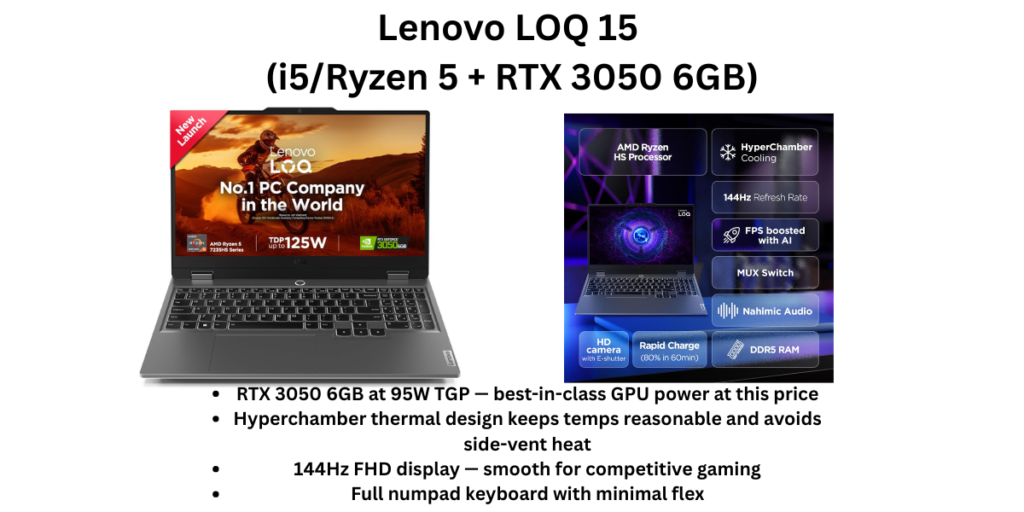
The RTX 3050 in the Lenovo LOQ runs at a full 95W TGP with Lenovo’s Hyperchamber thermal design. Compare that to many competitors that cripple their RTX 3050 at 45–65W, and you’re looking at a meaningful, real-world performance difference. At 95W, the LOQ’s RTX 3050 behaves more like a properly-powered GPU rather than a throttled afterthought.
In real-world terms: expect 120+ FPS in Valorant, 60–75 FPS in GTA V at high settings, solid BGMI performance, and playable frame rates in lighter AAA titles. Users who have tested it over extended gaming sessions report that GTA 5 runs at 120+ FPS at max settings with temperatures staying around 80°C, and games like Hogwarts Legacy are playable for hours. Flipkart The Hyperchamber cooling — where both fans spin outward and expel heat from the rear — means your right hand on the mouse never gets cooked by side vents, which is a genuinely thoughtful design decision.
The 15.6-inch FHD display at 144Hz is clean and smooth. The build feels tank-like for the price. And the keyboard, which includes a full numpad, has minimal flex even during aggressive typing. Add in 3 months of Xbox Game Pass and MS Office bundled, and the value equation becomes hard to argue with.
The only real catches: the plastic chassis feels budget-oriented up close, the battery gives you around 3–4 hours gaming (expect to always be plugged in), and the base AMD Ryzen 5 7235HS variant has only 4 cores — target the 16GB RAM + 6GB VRAM configuration.
✅ Pros
- RTX 3050 6GB at 95W TGP — best-in-class GPU power at this price
- Hyperchamber thermal design keeps temps reasonable and avoids side-vent heat
- 144Hz FHD display — smooth for competitive gaming
- Full numpad keyboard with minimal flex
- Lenovo AI Engine+ and MUX Switch support for extra performance
- Bundled MS Office and Xbox Game Pass are genuine savings
- Excellent cooling for long gaming sessions
❌ Cons
- Build feels plasticky compared to ASUS TUF
- Battery life is poor under gaming load (~3 hours)
- Base Ryzen 5 7235HS only has 4 cores — verify config before buying
- Webcam is functional but nothing more
- Slightly heavier at 2.4 kg
🎯 Who Should Buy It?
Students and gamers who want the best pure gaming performance per rupee under ₹70,000. If your priority is FPS, thermal headroom, and value, the LOQ 15 with the RTX 3050 6GB at 95W TGP is the answer. Ideal for Valorant, BGMI, GTA V, Spider-Man Remastered, and most modern titles at medium-high 1080p.
#2 — ASUS TUF Gaming A15 (Ryzen 7 + RTX 3050)
🛡️ Best Build Quality and Durability in This Segment 💰 Price: ~₹65,000–₹70,000 (Ryzen 7 / 16GB / RTX 3050 variant)
Overview
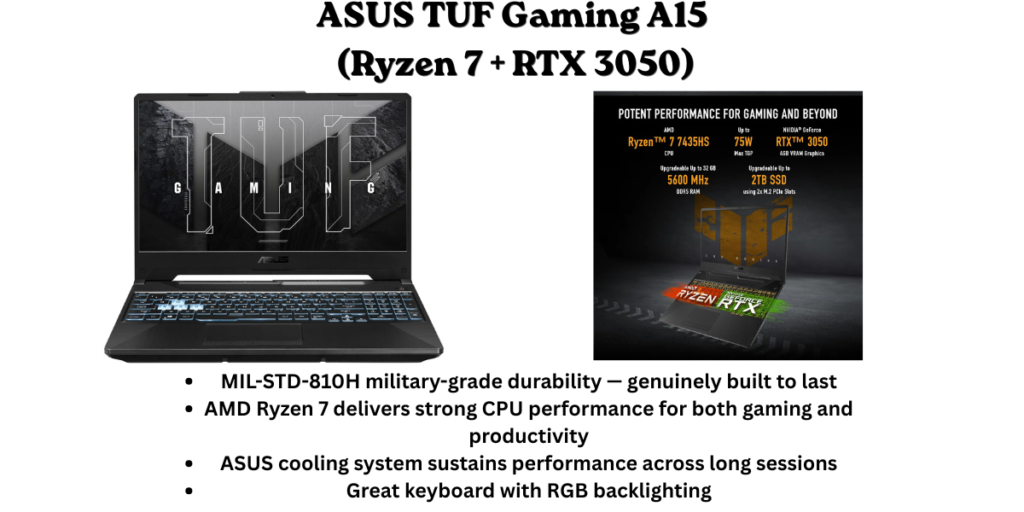
The TUF Gaming A15 has built one of the most loyal fanbases in the Indian gaming laptop market, and for good reason: ASUS takes build quality seriously here in a way most budget competitors don’t. The laptop is MIL-STD-810H certified — tested against military-grade durability standards covering temperature extremes, humidity, shock, and vibration. This is not a marketing gimmick; the TUF series genuinely survives drops, dusty hostel rooms, and the kind of abuse college life dishes out.
The Ryzen 7 7435HS is a strong processor for the price — six cores with enough horsepower for multitasking, light video editing, and gaming without bottlenecking the GPU. The RTX 3050 4GB in the configurations around ₹65,000–₹70,000 is the weaker GPU in this list (4GB VRAM vs 6GB), but ASUS’s superior cooling means it sustains its performance longer than rivals. The 144Hz display is anti-glare, comfortable for long sessions, and the 100% sRGB coverage (on select variants) is a genuine advantage if you also do colour-sensitive work.
One specific consideration for Indian buyers: ASUS has one of the stronger service networks in India’s major cities, and the TUF lineup has a consistent track record of lasting through 3–4 years of college without hardware failures — a meaningful long-term advantage over some budget rivals.
The tradeoff is the GPU VRAM — at 4GB, you’ll start to feel limitations in very demanding modern titles, and VRAM-hungry games like Microsoft Flight Simulator will struggle. But for esports, BGMI, GTA V, and popular Indian gamer titles, it handles everything well.
✅ Pros
- MIL-STD-810H military-grade durability — genuinely built to last
- AMD Ryzen 7 delivers strong CPU performance for both gaming and productivity
- ASUS cooling system sustains performance across long sessions
- Great keyboard with RGB backlighting
- 100% sRGB display on select variants — doubles as a creator laptop
- Strong ASUS service network in Indian cities
❌ Cons
- RTX 3050 with only 4GB VRAM — weaker than the 6GB variants in this list
- The 4GB GPU will feel limited in future AAA titles
- Battery is below average under gaming load
- Heavier configs can feel bulky in daily carry
- Base models sometimes bundled with lower RAM — confirm 16GB before buying
🎯 Who Should Buy It?
Students and gamers who will carry this laptop for 3–4 years through college and want something durable. If you play Valorant, BGMI, CS2, and FIFA rather than ultra-demanding AAA titles, the TUF A15’s build and reliability justify choosing it over laptops with higher specs but questionable longevity.
#3 — HP Victus 15 (Intel Core i5 / RTX 3050 6GB)
⚡ Best for First-Time Gaming Laptop Buyers — Trusted Brand, Clean Experience 💰 Price: ~₹60,000–₹68,000 (i5 13th/14th Gen / 16GB / RTX 3050 6GB)
Overview
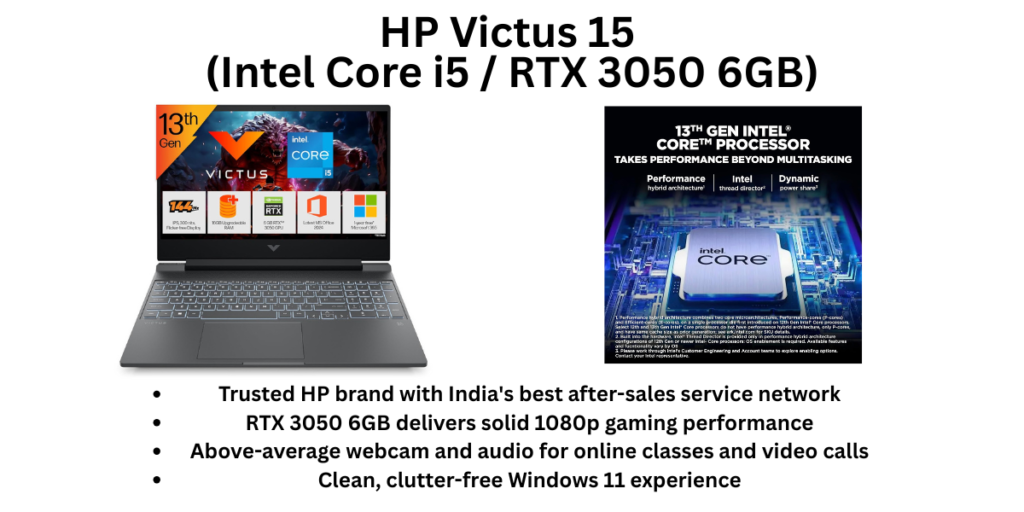
HP occupies a unique position in India’s gaming laptop market. The Victus 15 isn’t the most powerful machine in this list, and it’s not the cheapest. What it is, however, is the most beginner-friendly — clean Windows 11 experience out of the box, above-average webcam and audio for a gaming laptop, HP’s well-regarded build quality, and the widest service network of any brand in this price range.
The Intel Core i5-13420H (or i5-14450HX in newer configs) paired with the RTX 3050 6GB handles modern gaming titles competently. The Ryzen 5 5600H variant in earlier Victus models received consistent praise for smooth gaming experiences when paired with the RTX 3050 graphics. Cashify The 144Hz FHD display is bright and clean, and the chassis, while plastic, feels more finished than many competitors at this price.
Where the Victus genuinely stands out for Indian buyers specifically is reliability. HP’s parts supply chain and service infrastructure across India is unmatched. If something goes wrong in a Tier 2 city, HP is almost certainly more reachable than ASUS or MSI. For students whose families aren’t tech-savvy and can’t self-diagnose hardware issues, this matters enormously.
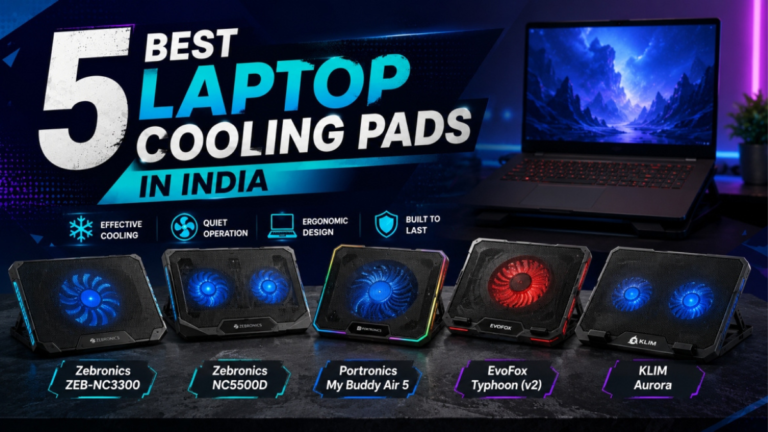
The thermal management on Victus laptops has historically been a mild concern — they run warmer than TUF or LOQ under sustained load. This doesn’t affect performance significantly in most gaming scenarios, but it’s worth using a laptop cooling pad for longer sessions.
✅ Pros
- Trusted HP brand with India’s best after-sales service network
- RTX 3050 6GB delivers solid 1080p gaming performance
- Above-average webcam and audio for online classes and video calls
- Clean, clutter-free Windows 11 experience
- Well-built chassis despite being plastic
- 144Hz display is bright and comfortable
❌ Cons
- Runs warmer than TUF or LOQ under sustained gaming load
- Slightly higher price for equivalent specs compared to Lenovo LOQ
- Battery life is average at 4–5 hours (non-gaming)
- Design is conservative — no flashy aesthetics
- Older i5 variants have lower RAM configs — confirm 16GB before buying
🎯 Who Should Buy It?
First-time gaming laptop buyers, students who primarily game in a hostel or at home, and buyers in smaller cities where service reliability is a bigger concern than cutting-edge GPU TGP numbers. Also an excellent pick for students who use their laptop for both gaming and online classes — the webcam and display quality is noticeably better than most gaming laptops here.
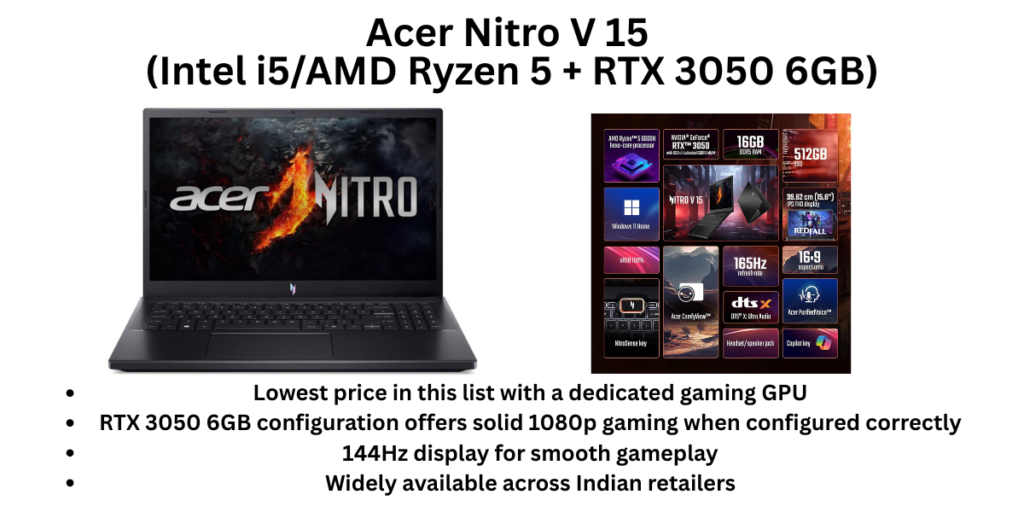
#4 — Acer Nitro V 15 (Intel i5/AMD Ryzen 5 + RTX 3050 6GB)
💸 Best Entry-Level Gaming Laptop — Maximum Value Under ₹60,000 💰 Price: ~₹52,000–₹65,000 (various i5 and Ryzen 5 configs)
Overview
The Acer Nitro series has been a staple of the Indian budget gaming market for years, and the Nitro V continues that tradition with a formula that works: decent GPU, competitive pricing, and enough cooling to keep things playable.
At its best configurations — the Intel Core i5-13420H or Ryzen 5 7535HS paired with RTX 3050 6GB — the Nitro V delivers exactly what its name suggests: a functional, no-frills gaming laptop that won’t humiliate itself in most popular titles. Valorant, CS2, BGMI, and FIFA run comfortably. Lighter AAA titles like Horizon Zero Dawn and Spider-Man are playable at medium settings. The 144Hz display is the standard anti-glare panel you’d expect.
What makes the Nitro V interesting is its price. The lower configurations can dip to the mid-₹50,000s during Flipkart and Amazon sales, which means you’re getting a dedicated GPU gaming laptop at a price many people thought was impossible. For families in India who are stretching their budget to get their child a gaming laptop, the Nitro V is often the answer.
The tradeoffs are real, though. The build quality is the most plasticky in this list. The keyboard, while backlit, doesn’t have the satisfying travel of Lenovo or ASUS keyboards. Thermals are the weakest here — long gaming sessions will push temperatures higher than competitors, and the fans get loud. The battery is poor even by gaming laptop standards.
One important note: Acer Nitro V models around ₹50,000 have also received recognition in gaming laptop recommendations for their solid 1080p performance at accessible prices. Smartprix But always check which exact variant you’re buying — some cheaper Nitro V models come with the weaker RTX 3050A (65W TGP), not the full RTX 3050. The 6GB VRAM + higher TGP configuration is worth the extra ₹5,000.
✅ Pros
- Lowest price in this list with a dedicated gaming GPU
- RTX 3050 6GB configuration offers solid 1080p gaming when configured correctly
- 144Hz display for smooth gameplay
- Widely available across Indian retailers
- Decent port selection including Ethernet
- Acer service centres present in most major cities
❌ Cons
- Weakest build quality in this list — feels noticeably plasticky
- Loud fans under gaming load
- Thermals are the weakest here — gets hot during long sessions
- Some variants use the weaker RTX 3050A at low TGP — verify before buying
- Keyboard feel is below average compared to Lenovo or ASUS
- Battery life is poor (~3 hours gaming)
🎯 Who Should Buy It?
Budget-conscious gamers who want to enter PC gaming without crossing ₹60,000, or students who will primarily play esports titles (Valorant, BGMI, FIFA, CS2) rather than demanding AAA games. If you can stretch slightly, the LOQ 15 offers meaningfully better value at ₹65,000–₹68,000. But if budget is the hard constraint, the Nitro V is the correct entry point.
#5 — MSI Cyborg 15 (RTX 4050 / RTX 3050 + Intel i5)
🎨 Best Design and Keyboard — Surprisingly Sleek for a Gaming Laptop 💰 Price: ~₹58,000–₹70,000 (varies by GPU config — RTX 3050 at lower end, RTX 4050 at upper end)
Overview
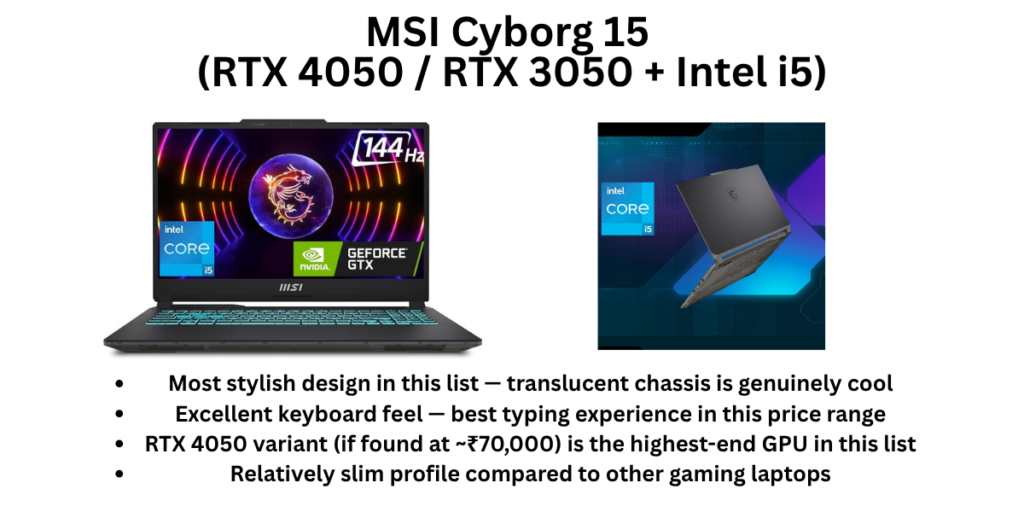
The MSI Cyborg 15 is the most visually distinctive laptop in this list. The translucent chassis panel with exposed internal structure — yes, like those transparent Game Boys from the 90s — is genuinely attention-grabbing, and the keyboard is widely regarded as one of the best-feeling budget gaming keyboards available, with comfortable travel, good key spacing, and a translucent WASD cluster.
There are two main configurations available in India under ₹70,000: the Intel Core i5 + RTX 3050 variant (₹58,000–₹65,000) and a stretched RTX 4050 variant that occasionally dips into budget with bank card discounts. If you can find the RTX 4050 variant at or under ₹70,000, it’s genuinely excellent — the RTX 4050 is the strongest GPU in this entire list and will handle modern AAA titles at 1080p high settings comfortably.
Reviewers have consistently praised the Cyborg 15 for its surprisingly sleek design for a gaming laptop, avoiding unsightly bulges and maintaining a relatively thin profile, though its weight means extended carrying would be tiring. TechRadar
The important caveat: the RTX 4050 in the Cyborg 15 runs at only 45W TGP, which significantly limits its performance compared to what the GPU can theoretically achieve. At 45W TGP, the Cyborg’s RTX 5050/4050 is roughly 20% behind competitors running the same GPU at higher power levels. Notebookcheck This is a meaningful difference — the LOQ’s RTX 3050 at 95W may actually outperform the Cyborg’s RTX 4050 at 45W in some sustained workloads.
The display is also the weakest here in terms of colour coverage — fine for gaming but not impressive if you care about colour accuracy. MSI’s service network in India is thinner than HP, Lenovo, or ASUS, particularly outside major metros.
✅ Pros
- Most stylish design in this list — translucent chassis is genuinely cool
- Excellent keyboard feel — best typing experience in this price range
- RTX 4050 variant (if found at ~₹70,000) is the highest-end GPU in this list
- Relatively slim profile compared to other gaming laptops
- Competent Intel Core i5 for gaming and daily use
- Good 144Hz display for gaming
❌ Cons
- RTX 4050 is power-limited to 45W TGP — loses some GPU headroom
- Display colour coverage is below average (~67% sRGB) — not for creators
- MSI service network is thin outside major Indian cities
- Battery life is short under gaming load
- The RTX 3050 variant at lower TGP underperforms compared to the LOQ 15
🎯 Who Should Buy It?
Gamers who care about laptop aesthetics and keyboard comfort, and who primarily play esports and moderately demanding titles. Also the best pick if you want the sleekest-looking gaming laptop in this budget to carry to college without looking like you’re hauling a battleship. If you can find the RTX 4050 variant during a sale at or under ₹70,000, grab it.
#6 — ASUS TUF Gaming F16 (Intel Core 5 + RTX 3050A)
🖥️ Best 16-Inch Gaming Laptop Under ₹70,000 — More Screen, Better Speakers 💰 Price: ~₹65,000–₹70,000 (Intel Core 5 210H / 16GB / RTX 3050A)
Overview
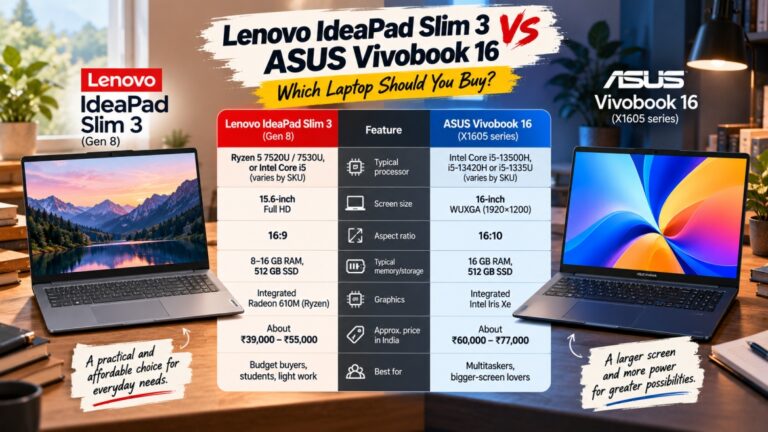
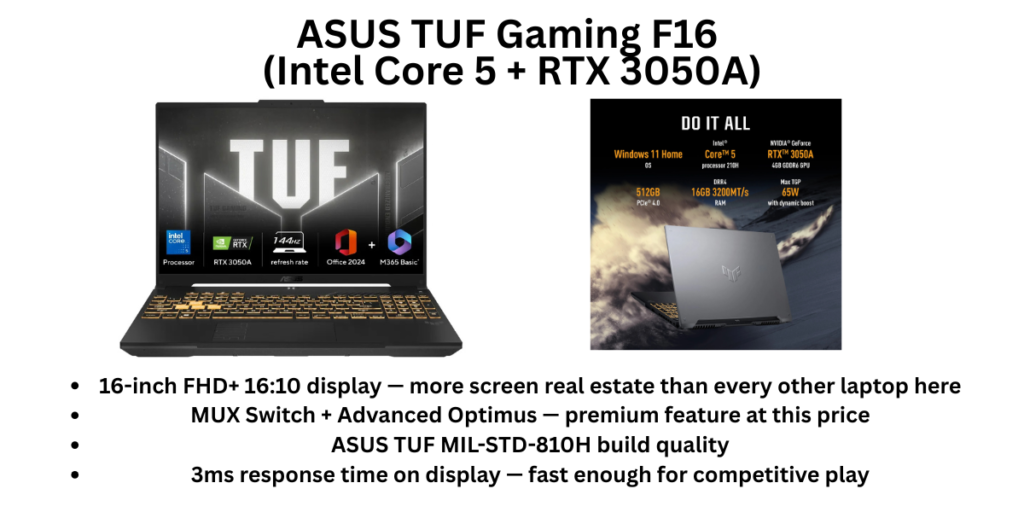
The ASUS TUF Gaming F16 occupies a specific niche that no other laptop in this list fills: a proper 16-inch gaming laptop under ₹70,000. The larger FHD+ 16:10 display (1920×1200) gives you extra vertical real estate compared to 15.6-inch 16:9 panels, which matters more than people realise — web browsing, working in code editors, and even gaming feel more spacious.
The TUF Gaming F16 includes ASUS’s MUX Switch with NVIDIA Advanced Optimus, which automatically activates the dedicated GPU when a game launches and switches back to integrated graphics for productivity tasks Asus — this is a premium feature that extends battery life and improves gaming performance simultaneously, and it’s relatively rare at this price point.
The Intel Core 5 210H (formerly i5-class) is a capable processor, and ASUS’s TUF thermal system keeps it performing consistently. The build is the usual excellent TUF quality — MIL-STD-810H certified, solid hinge, good keyboard.
The key limitation is the GPU: the RTX 3050A at 65W TGP is the weakest GPU in this list. The “A” suffix matters — it’s a cut-down version of the RTX 3050. For competitive esports titles it’s completely fine, but for demanding AAA games at higher settings, it will struggle compared to the 95W RTX 3050 in the Lenovo LOQ.
Think of the TUF F16 as the laptop for someone who wants a large screen for gaming and content consumption, values ASUS build quality and MUX Switch technology, and primarily plays esports rather than ultra-demanding AAA titles.
✅ Pros
- 16-inch FHD+ 16:10 display — more screen real estate than every other laptop here
- MUX Switch + Advanced Optimus — premium feature at this price
- ASUS TUF MIL-STD-810H build quality
- 3ms response time on display — fast enough for competitive play
- USB-C fast charging — reaches 50% in 30 minutes
- Bundled MS Office 2024 — genuine value addition
❌ Cons
- RTX 3050A at 65W TGP is the weakest GPU in this list — avoid demanding AAA titles
- At 2.2 kg for a 16-inch laptop, it’s bulky to carry daily
- The larger chassis doesn’t proportionally improve cooling over the TUF A15
- Battery is average at best during gaming
- For pure gaming performance, the Lenovo LOQ 15 (RTX 3050 6GB at 95W) wins convincingly
🎯 Who Should Buy It?
Gamers who want a larger screen for gaming and primarily use their laptop at a desk or hostel room. Also suited for students who do both gaming and work on the same laptop and want the extra screen space for productivity. If you mostly play Valorant, CS2, BGMI, and FIFA and want that 16-inch screen in a certified durable build — this is the one.
Final Verdict — Which Gaming Laptop Should You Buy Under ₹70,000?
Here’s the honest answer, broken down by who you are:
Buy the Lenovo LOQ 15 (RTX 3050 6GB, 95W) if… you want the best gaming performance for money and you primarily game plugged in at home or in a hostel. The 95W TGP makes it genuinely the strongest gaming performer in this price bracket. It’s the default recommendation for most Indian gamers under ₹70,000.
Buy the ASUS TUF Gaming A15 if… durability is non-negotiable for you, you’re in your first year of college, and you want a laptop that will survive four years of campus life without hardware issues. The MIL-STD-810H certification is not just marketing — TUF laptops have a strong track record in India for reliability.
Buy the HP Victus 15 if… you’re a first-time gaming laptop buyer in a city or town where HP’s service centres are your safety net, or you also need the laptop for online classes with decent webcam quality. It’s the most beginner-friendly option here.
Buy the Acer Nitro V if… ₹70,000 feels like a stretch and you need to stay at ₹55,000–₹60,000. The Nitro V is the entry door to PC gaming on a tight budget. Just confirm the RTX 3050 6GB configuration (not the 3050A) before buying.
Buy the MSI Cyborg 15 if… you care about how your laptop looks and feels — the design and keyboard are genuinely the best in this list, and if you can catch the RTX 4050 variant on sale, it’s a solid machine.
Buy the ASUS TUF Gaming F16 if… you want a 16-inch display and game primarily at a desk. The bigger screen and MUX Switch technology are real advantages, and the TUF build quality means it’ll survive campus life.
One Final Piece of Advice
Whatever you buy, invest ₹1,000–₹1,500 in a good laptop cooling pad. Gaming laptops at this price range are thermal-budget constrained, and a cooling pad adds 3–5°C of headroom — which directly translates to sustained performance and longer hardware life. Also, always buy from authorised sellers on Amazon or Flipkart to ensure warranty validity. Gaming laptops with grey-market sourcing or missing warranty cards are common traps in this segment.
Happy gaming. 🎮
Prices are indicative as of April 2026 and may vary across retailers. Always verify current pricing on Amazon, Flipkart, or Croma before purchasing. We recommend checking bank card offers and exchange deals during sales like Flipkart Big Billion Days, Amazon Great Indian Festival, and Republic Day/Independence Day sales — gaming laptops in this segment frequently see ₹3,000–₹8,000 additional discounts during these events.
Also read: 8 Best Laptops for Students in India (2026)