Lenovo IdeaPad Slim 3 vs ASUS Vivobook 16: Which Laptop Should You Buy?
If you are shopping for a ₹40,000–₹70,000 laptop in India, you have probably reached this exact fork in the road. The Lenovo IdeaPad Slim 3 vs ASUS Vivobook 16 question comes up constantly because both laptops target the same buyers: students, working professionals and families who want a dependable Windows machine without paying for a premium ultrabook.
I’ll skip the marketing language. Below, I compare the Lenovo IdeaPad Slim 3 vs ASUS Vivobook 16 on the things that decide daily use: screen, speed, battery, build, ports and real-world cost. At the end, you’ll know which one fits you.
Short answer: Choose the ASUS Vivobook 16 if you want the bigger, taller 16:10 screen and stronger multitasking power. Choose the Lenovo IdeaPad Slim 3 if you want to spend less and still get a reliable everyday laptop.
How I Compared These Laptops (Methodology)
Transparency matters, so here is exactly what this comparison is built on:
- Sources: Manufacturer specifications and Indian retail listings (Amazon India, Flipkart, and price-tracking sites), checked on 19 October 2026.
- What this is not: This is a specification-and-market comparison. It is not a lab test with my own benchmark runs. Where I give a judgement, I explain the spec behind it.
- Prices: Indian laptop prices change weekly, and different sellers list different configurations under similar names. Always confirm the exact model number before you pay.
Quick Comparison Table
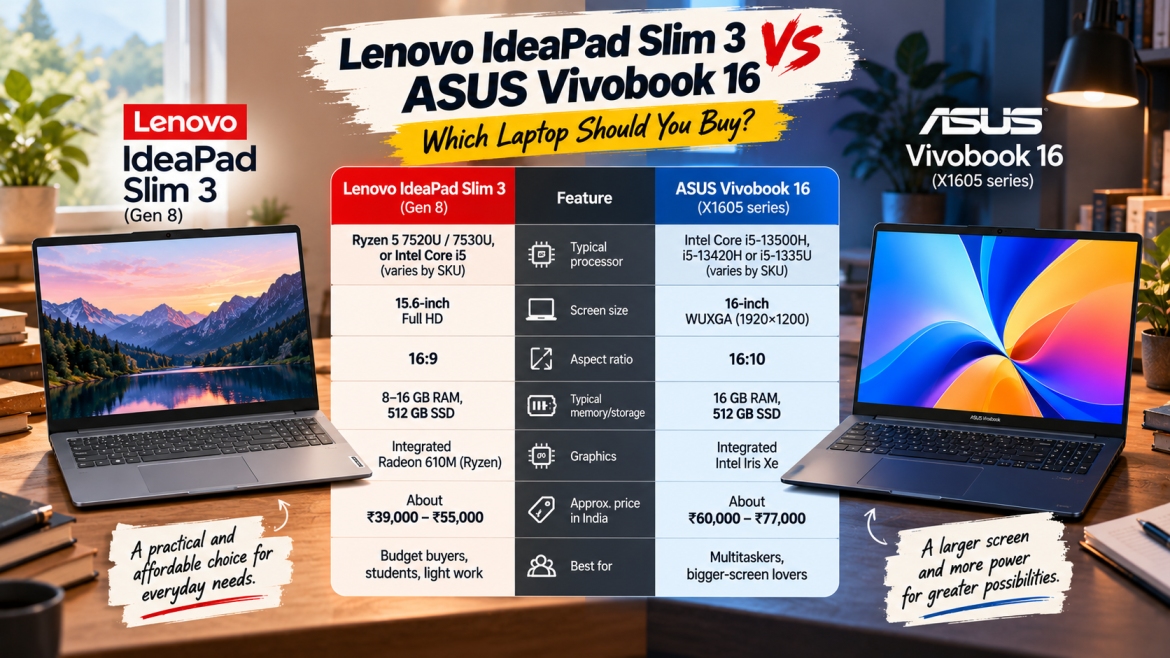
| Feature | Lenovo IdeaPad Slim 3 (Gen 8) | ASUS Vivobook 16 (X1605 series) |
|---|---|---|
| Typical processor | Ryzen 5 7520U / 7530U, or Intel Core i5 (varies by SKU) | Intel Core i5-13500H, i5-13420H or i5-1335U (varies by SKU) |
| Screen size | 15.6-inch Full HD | 16-inch WUXGA (1920×1200) |
| Aspect ratio | 16:9 | 16:10 |
| Typical memory/storage | 8–16 GB RAM, 512 GB SSD | 16 GB RAM, 512 GB SSD |
| Graphics | Integrated Radeon 610M (Ryzen) | Integrated Intel Iris Xe |
| Approx. price in India | About ₹39,000–₹55,000 | About ₹60,000–₹77,000 |
| Best for | Budget buyers, students, light work | Multitaskers, bigger-screen lovers |
Sources for these specs: one Gen 8 IdeaPad Slim 3 listing shows a Ryzen 5 7520U, 16 GB RAM, 512 GB SSD, a 15.6-inch IPS display and Radeon 610M graphics. For the Vivobook, a common X1605VA configuration pairs the Core i5-13500H with 16 GB RAM, a 512 GB SSD and a 16-inch IPS display.
Lenovo IdeaPad Slim 3 vs ASUS Vivobook 16: Detailed Breakdown
1. Display: The Vivobook 16 Wins Clearly
The biggest everyday difference in the Lenovo IdeaPad Slim 3 vs ASUS Vivobook 16 matchup is the screen.
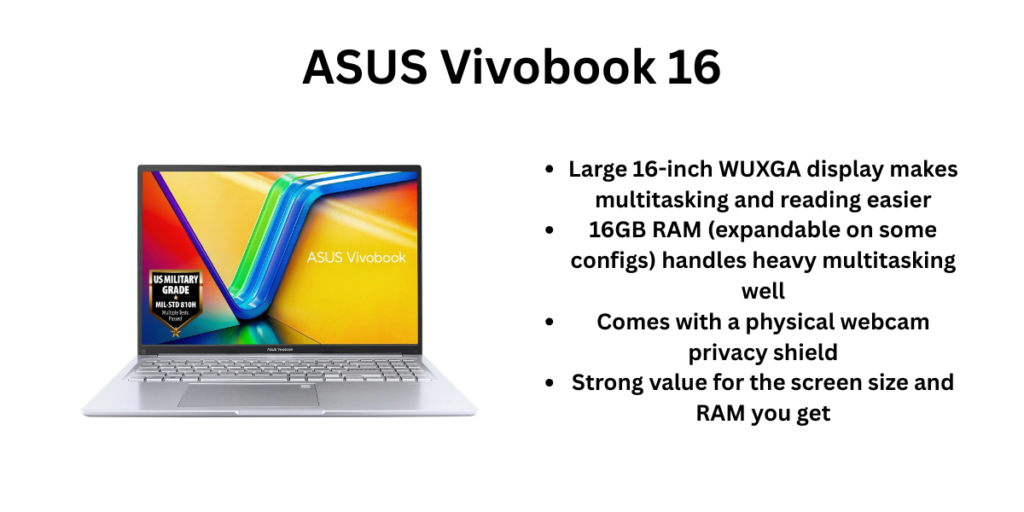
The Vivobook 16 uses a 16:10 panel at 1920×1200. Listings for the X1605VA put it at 300 nits of brightness on an IPS panel. That extra height shows more of a spreadsheet, a Word document or a webpage without scrolling. If you work in Excel, write long documents or code, you will notice it within an hour.
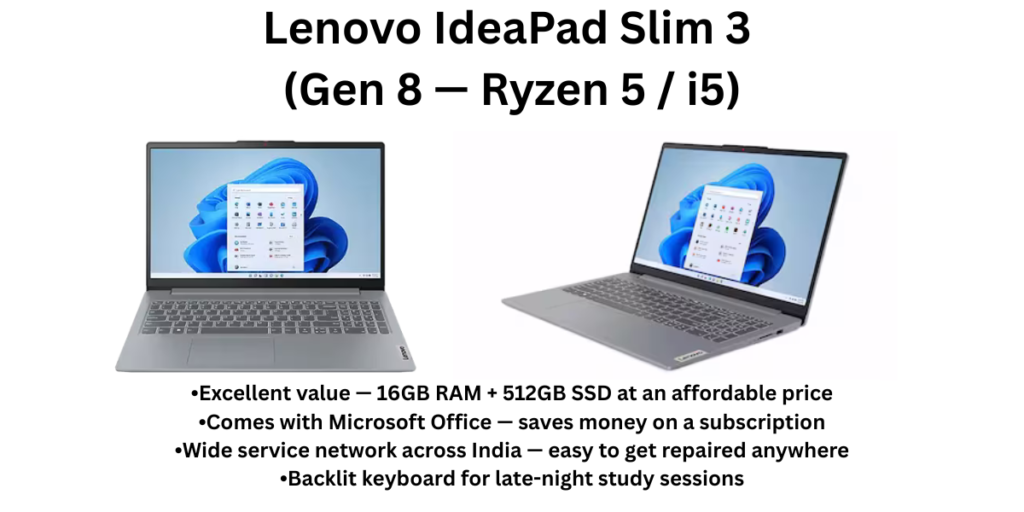
The IdeaPad Slim 3 uses a standard 15.6-inch Full HD (1920×1080) display. It is perfectly usable for streaming and browsing. However, Indian listings show that panel quality varies across Slim 3 versions. Some are IPS and some are TN. Older Slim 3 listings show a TN panel at 250 nits with 45% NTSC colour. Always check whether your exact variant says IPS before buying.
Verdict: Vivobook 16.
2. Performance: Power vs Efficiency
Here the two laptops take different approaches.
The Vivobook 16’s Core i5-13500H is a 12-core, high-power H-series chip. Its listing shows 12 cores and a boost speed up to 4.7 GHz. That means smoother multitasking, faster exports and better performance when you keep many Chrome tabs, Excel and a video call open together.
The IdeaPad Slim 3 with a Ryzen 5 7520U or 7530U uses a low-power U-series chip. It handles office work, online classes, coding basics and streaming well. It will feel slower than the Vivobook when you push it with heavy multitasking, photo editing or video work.
Neither laptop is meant for gaming. Both use integrated graphics. You can play light titles at low settings, but if gaming matters, look at a laptop with a dedicated GPU instead.
Verdict: Vivobook 16 for speed. Slim 3 for everyday tasks at a lower price.
3. Battery Life and Heat
Lower-power chips generally sip less energy. The Ryzen U-series processors in the IdeaPad Slim 3 are designed for efficiency, so they usually run cooler and last longer on a charge than an H-series Intel chip. Both laptops carry modest batteries, so expect a working day of light use at best, not two days.
The Vivobook 16’s H-series chip draws more power under load. If you work away from a socket often, keep the 65W charger in your bag. Real battery life depends heavily on screen brightness and what you run, so treat any manufacturer figure as a best case.
Verdict: Slim 3 for battery efficiency.
4. Design, Build and Portability
Both laptops use plastic bodies, so don’t expect a premium metal feel at this price. The Vivobook 16 is a big machine. Listings put it at about 1.68 kg and 19.9 mm thick, though some variants are listed heavier. The IdeaPad Slim 3 is a size smaller on the desk and easier to carry daily. mysmartprice
If you commute with your laptop in a backpack, the lighter, smaller Slim 3 is kinder to your shoulders. If your laptop mostly lives on a desk, the Vivobook’s bigger screen is worth the extra size.
Verdict: Slim 3 for portability.
5. Keyboard, Ports and Everyday Comfort
Both laptops offer full-size keyboards, and many variants include backlighting. The Vivobook 16’s larger body leaves room for a number pad and a roomier layout. Both include USB-A ports, USB-C, HDMI and a headphone jack, but port mix differs by SKU, so check the listing’s port list. If you use SD cards, confirm that slot too.
6. Price and Value in India
This is where the Lenovo IdeaPad Slim 3 vs ASUS Vivobook 16 decision often gets made.
IdeaPad Slim 3 Gen 8 Ryzen 5 models have appeared in the high ₹30,000s to the ₹50,000s depending on RAM and seller. Price-tracker pages showed a Ryzen 5 7530U model with 8 GB RAM at ₹38,899, and another listing showed a last known price of ₹46,991 for a 16 GB model. Vivobook 16 i5 listings I found ranged from about ₹60,700 to ₹77,500.
Listed prices swing a lot with sales and bank offers. Treat these as ranges, not promises, and check the live price on Amazon India or Flipkart before you decide.
Verdict: Slim 3 for lower cost. Vivobook 16 if you will use the extra power.
Who Should Buy the Lenovo IdeaPad Slim 3?
- Students who need a dependable laptop for notes, assignments and online classes
- Buyers with a firm budget under about ₹50,000
- Anyone who carries their laptop daily
- Families who want a simple, quiet machine for browsing and streaming
Who Should Buy the ASUS Vivobook 16?
- Professionals who live in Excel, Word, Chrome and video calls
- Content creators doing light photo or video editing
- Anyone who wants the taller 16:10 screen
- Buyers who plan to keep the laptop for four to five years and want extra performance headroom
Common Mistakes to Avoid Before Buying
- Buying by name alone. Both models come in many versions. Match the exact model number, RAM and screen type.
- Accepting 8 GB RAM without checking upgrade options. Many budget laptops have one RAM slot or soldered memory. If you can, buy 16 GB from the start.
- Ignoring the panel type. An IPS display looks better than TN, especially for colours and viewing angles.
- Skipping service checks. Confirm there is a Lenovo or ASUS service centre in your city before you buy.
- Trusting one price. Compare Amazon, Flipkart and Croma, and check card offers.
Final Verdict: Lenovo IdeaPad Slim 3 vs ASUS Vivobook 16
After comparing the Lenovo IdeaPad Slim 3 vs ASUS Vivobook 16 across display, performance, battery, portability and price, the winner depends on your priority.
- Best overall for power users: ASUS Vivobook 16
- Best for tight budgets and everyday use: Lenovo IdeaPad Slim 3
My own pick for most students is the IdeaPad Slim 3 with 16 GB RAM and an IPS screen. If your work needs real multitasking, the Vivobook 16 is worth the extra ₹15,000–₹20,000.
Frequently Asked Questions
Which is better, Lenovo IdeaPad Slim 3 or ASUS Vivobook 16?
The Vivobook 16 is better for performance and screen size. The IdeaPad Slim 3 is better for price and portability. In the Lenovo IdeaPad Slim 3 vs ASUS Vivobook 16 comparison, neither wins every category.
Is the ASUS Vivobook 16 good for students?
Yes, especially for engineering, commerce and design students who multitask. Students with a tight budget may prefer the Slim 3.
Which has better battery life?
The IdeaPad Slim 3 with a Ryzen U-series chip is usually more efficient. Real battery life depends on how you use the laptop.
Can I play games on either laptop?
Only light games at low settings. Both use integrated graphics.
Is 8 GB RAM enough in 2026?
It works for basic tasks, but 16 GB is the safer choice for multitasking and longevity.
Which laptop has the better screen?
The Vivobook 16, thanks to its 16:10 1920×1200 panel.
Related Reading: Best Smartphones in India (Quick List)
Since many readers shopping for a laptop also compare phones, here is a short list based on recent Indian ranking pages. Phone prices move fast, so check the latest price before buying.
| Need | Pick | Why |
|---|---|---|
| Best overall flagship | OPPO Find X9 Ultra | Rated best overall in a June 2026 India ranking |
| Best camera | Samsung Galaxy S26 Ultra | Scored 9.1/10 for camera in the same ranking |
| Best for gaming | OnePlus 15 | Rated 9/10 for gaming |
| Best value flagship | Samsung Galaxy S26 Plus | Listed at ₹94,999 with a strong value rating |
| Best mid-range | iQOO 15R | Rated 8.6/10 overall among mid-rangers |
| Best under ₹25,000 | iQOO Z11x | Top overall pick under ₹25,000 with a 7200 mAh battery |
| Best camera under ₹25,000 | Moto G96 5G | Scored 8.4/10 for camera with a 50 MP main sensor |
| Best under ₹20,000 | Redmi 15 5G | Leads a 2026 under-₹20,000 roundup, followed by Oppo K13 5G and Vivo T4x 5G best mobiles in india +7 |
Also read: vivo X200T vs Motorola Edge 70 Max