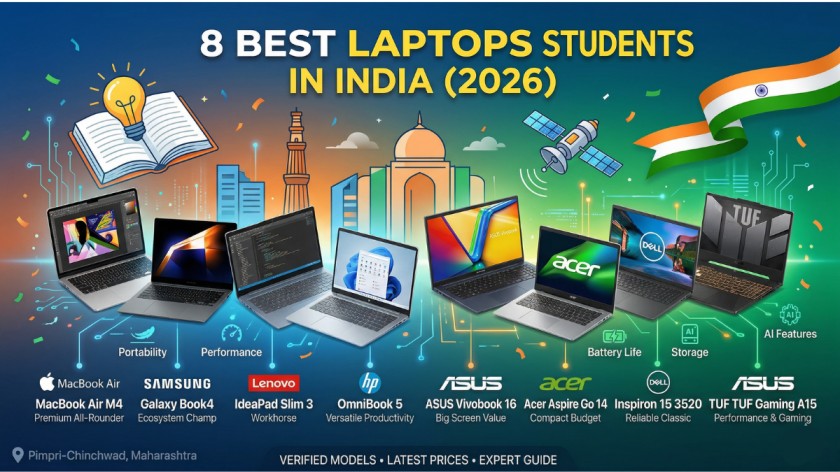
8 Best Laptops for Students in India (2026)
A Deeply Researched, No-Nonsense Guide for Indian Students and Parents
Covers all budgets from ₹38,000 to ₹1,10,000
How to Choose the Right Laptop as a Student in India
Every year, thousands of Indian students (and their parents) make the same mistake: buying a laptop based on a shopkeeper’s recommendation, a YouTube thumbnail, or a spec sheet that looks impressive on paper but disappoints in real life. This guide exists to prevent that.
We have researched the current Indian market — checking prices on Amazon, Flipkart, and Croma, reading verified buyer reviews, comparing specifications, and factoring in India-specific concerns like service centre availability, power resilience, and budget constraints — to bring you the eight best laptops for students in 2026 across every budget and use case.
What Actually Matters for Indian Students in 2026
Before diving into the list, here’s a practical framework to decide what you need:
- RAM: 16GB is the new minimum in 2026. Do not accept 8GB unless on a very tight budget — it will feel sluggish within a year.
- Storage: Always choose SSD over HDD. A 512GB SSD beats a 1TB HDD in every real-world scenario. Boot times, app launches, file access — it all improves dramatically.
- Battery: Aim for at least 7–8 hours of real-world use. Specs say one thing; reality is usually 25–30% less.
- Weight: If you commute by public transport or walk to campus, stay under 1.8 kg. Every gram adds up by the end of a long day.
- Service Network: This is underrated. Lenovo, HP, and Dell have the widest service presence in smaller cities and towns. Apple and Samsung have fewer centres but generally faster turnaround.
- Future-Proofing: A laptop you buy in first year should ideally still serve you well in final year — and maybe even post-graduation. Think long-term.
With that foundation set, here are the 8 best laptops for students in India in 2026, ranked from best premium to best budget options, covering every student type.
1: Apple MacBook Air M4 (2025)
Best Premium Laptop for Indian Students — Worth Every Rupee
💰 Price: Starts at ~₹89,990 (16GB/256GB); ~₹1,09,990 for 512GB
Overview
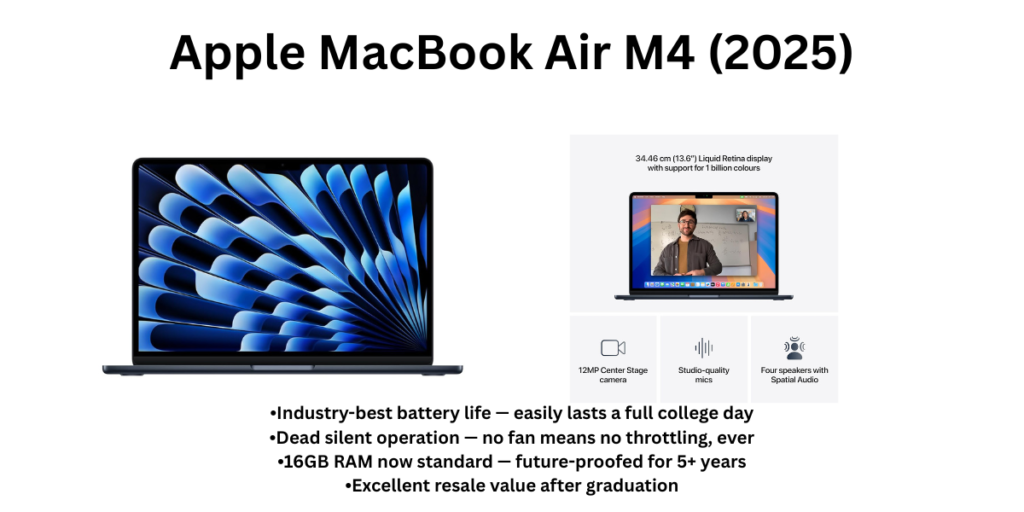
The MacBook Air M4 is the gold standard for students who want a laptop that just works — for years, without drama. Apple quietly upgraded the base RAM to 16GB across all M4 models, which is a huge deal. You get enough headroom for dozens of Chrome tabs, Xcode, Python environments, or Lightroom sessions, all while the laptop stays completely silent (there’s no fan) and the battery pushes a genuine 15–18 hours on a single charge.
For Indian students juggling long commutes, shared hostel power points, and back-to-back lectures, the Air’s combination of featherlight build (1.24 kg), all-day battery, and zero thermal throttling is genuinely hard to beat. macOS is polished, receives updates for 7+ years, and its resale value after graduation is still one of the strongest in the market.
Key Specifications
| Processor | Apple M4 (10-core CPU, 10-core GPU) |
| RAM | 16GB Unified Memory (standard) |
| Storage | 256GB / 512GB SSD options |
| Display | 13.6″ Liquid Retina, 500 nits, P3 wide colour |
| Battery | Up to 18 hours (video playback) |
| Weight | 1.24 kg |
| OS | macOS Sequoia |
| Price (India) | ~₹89,990 onwards (Amazon/Flipkart); student discounts available |
✅ Pros
- Industry-best battery life — easily lasts a full college day
- Dead silent operation — no fan means no throttling, ever
- 16GB RAM now standard — future-proofed for 5+ years
- Excellent resale value after graduation
- Apple’s 7+ years of macOS updates = long-term investment
- Stunning Liquid Retina display, great for design and media
❌ Cons
- Highest price in this list — a stretch for budget-conscious families
- Only 2 USB-C ports (you will need a hub)
- macOS incompatible with some Windows-only software used in certain engineering or government courses
- 256GB base storage fills up fast — opt for 512GB if budget allows
- No dedicated GPU — not suitable for 3D rendering or heavy gaming
🎯 Who Should Buy It?
Commerce, MBA, CA, Law, Journalism, Content Creation, and Computer Science (iOS/macOS dev) students who want a premium, long-lasting machine and can work within the Apple ecosystem. Not ideal for engineering students dependent on AutoCAD, MATLAB Windows builds, or heavy gaming.
2: Lenovo IdeaPad Slim 3 (Gen 8 — Ryzen 5 / i5)
Best All-Round Budget Laptop for Most Indian Students
💰 Price: ₹40,000 – ₹52,000 depending on config
Overview
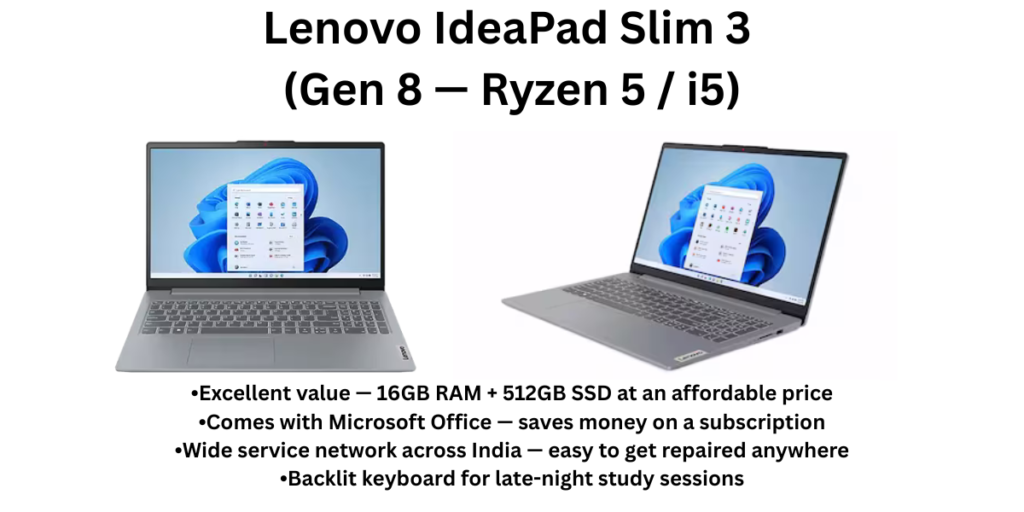
The Lenovo IdeaPad Slim 3 has been the go-to recommendation for Indian college students for good reason — it’s reliable, lightweight, widely available at Lenovo service centres across Tier 2 and Tier 3 cities, and it handles everything a typical student throws at it without complaint.
The latest Gen 8 iteration with AMD Ryzen 5 (or Intel Core i5 12th/13th Gen), 16GB RAM, and 512GB SSD is the configuration to target. It is one of the few laptops in this price range that bundles Microsoft Office, runs cool enough for extended study sessions, and has a decent backlit keyboard — something students working late night appreciate more than they expect.
Key Specifications
| Processor | AMD Ryzen 5 7520U or Intel Core i5-13420H (varies by variant) |
| RAM | 16GB DDR5 (recommended config) |
| Storage | 512GB NVMe SSD |
| Display | 15.6″ FHD IPS, Anti-glare |
| Battery | ~7–9 hours (real-world academic use) |
| Weight | 1.62–1.73 kg |
| OS | Windows 11 Home + MS Office included |
| Price (India) | ₹40,000 – ₹52,000 |
✅ Pros
- Excellent value — 16GB RAM + 512GB SSD at an affordable price
- Comes with Microsoft Office — saves money on a subscription
- Wide service network across India — easy to get repaired anywhere
- Backlit keyboard for late-night study sessions
- Light enough for daily commuting at under 1.75 kg
- Good battery life for a Windows laptop in this price band
❌ Cons
- Display brightness could be better for outdoor use
- Build quality is decent but feels plasticky compared to premium alternatives
- Integrated graphics only — no gaming beyond casual titles
- Speakers are underwhelming for media consumption
- Webcam quality is basic (720p)
🎯 Who Should Buy It?
BBA, BCom, BSc, BA, Nursing, and most general-stream college students who need a dependable everyday laptop under ₹50,000. Also a solid first laptop for students transitioning from school to college.
3: ASUS Vivobook 16 (Intel Core i5 / Ryzen 5)
Best Big-Screen Laptop for Students Who Multitask
💰 Price: ₹45,000 – ₹60,000
Overview
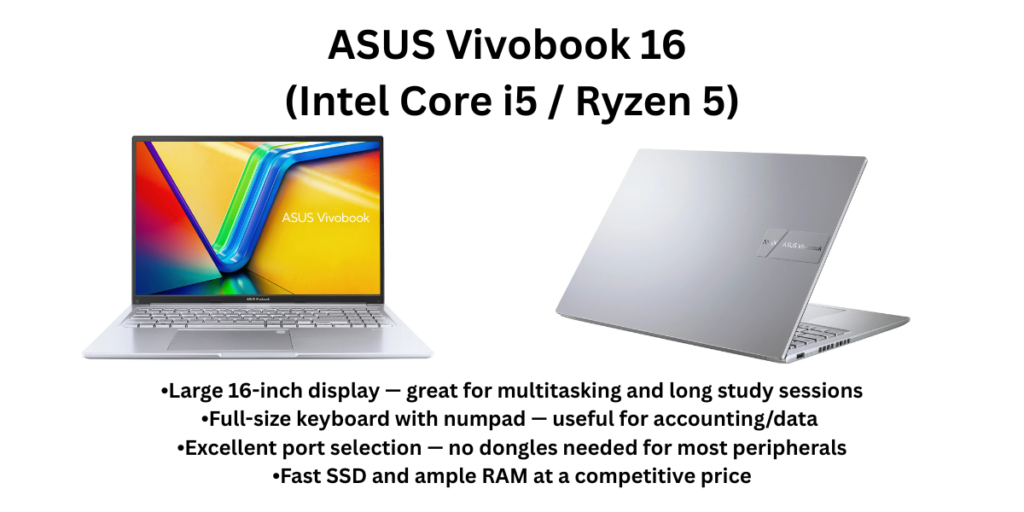
This is one of the best laptops for students in India. If you spend hours staring at PDFs, spreadsheets, code editors, or lecture recordings, the ASUS Vivobook 16’s generous 16-inch display is a breath of fresh air. At 1.88 kg, it’s not ultraportable, but it’s a reasonable trade-off for a screen that makes side-by-side window multitasking actually usable.
ASUS has done a commendable job with the Vivobook 16 — packing in a fast NVMe SSD, 16GB RAM, plenty of ports (USB-A, USB-C, HDMI, SD card), and a comfortable full-size keyboard with numpad. For students doing data analysis, accounting, or content research, those extra keys matter.
Key Specifications
| Processor | Intel Core i5-13420H or AMD Ryzen 5 7535HS |
| RAM | 16GB DDR4/DDR5 |
| Storage | 512GB NVMe SSD |
| Display | 16″ FHD IPS, 60Hz, Anti-glare |
| Battery | ~6–8 hours (real-world) |
| Weight | 1.88 kg |
| OS | Windows 11 Home |
| Price (India) | ₹45,000 – ₹60,000 |
✅ Pros
- Large 16-inch display — great for multitasking and long study sessions
- Full-size keyboard with numpad — useful for accounting/data students
- Excellent port selection — no dongles needed for most peripherals
- Fast SSD and ample RAM at a competitive price
- ASUS build quality is above average in this segment
❌ Cons
- Heavier than most competitors at 1.88 kg — daily commuting can be tiring
- Battery life is average — carry your charger for full-day classes
- No dedicated GPU — not suitable for gaming or video rendering
- Display brightness is moderate (~250 nits)
🎯 Who Should Buy It?
Engineering, Data Science, Commerce, and Design students who primarily work at a desk or carry a bag (not a sling) and need a large screen for productive multitasking. Not the best pick if you walk or cycle to campus daily.
4: Acer Aspire Go 14 (Intel Core Ultra 5)
Best Lightweight Budget Laptop — Punches Far Above Its Price
💰 Price: ₹42,000 – ₹50,000
Overview
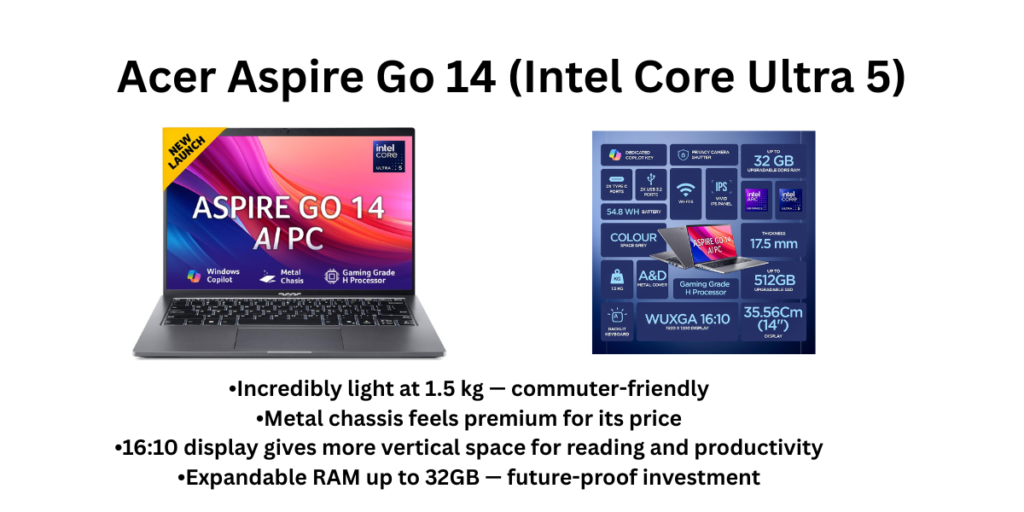
The Acer Aspire Go 14 is one of the most pleasantly surprising laptops of recent times. For a machine that costs under ₹50,000, it ships with an Intel Core Ultra 5 processor, 16GB DDR5 RAM, 512GB SSD, a metal chassis, and Wi-Fi 6 — specifications that would have cost significantly more a year ago.
Its 14-inch 16:10 display gives you slightly more vertical space than a standard 16:9 screen, which is actually useful when scrolling through research papers or reading textbooks. At just 1.5 kg, it’s among the lightest options in its price category, and the 55Wh battery comfortably gets you through a typical college day.
Key Specifications
| Processor | Intel Core Ultra 5 (Meteor Lake) |
| RAM | 16GB DDR5 (expandable to 32GB) |
| Storage | 512GB NVMe SSD |
| Display | 14″ FHD 16:10, Anti-glare |
| Battery | 55Wh — ~8–10 hours academic use |
| Weight | 1.5 kg |
| OS | Windows 11 Home |
| Price (India) | ₹42,000 – ₹50,000 |
✅ Pros
- Incredibly light at 1.5 kg — commuter-friendly
- Metal chassis feels premium for its price
- 16:10 display gives more vertical space for reading and productivity
- Expandable RAM up to 32GB — future-proof investment
- Wi-Fi 6 for fast, stable connectivity in crowded college networks
- Excellent value — premium specs at a budget price
❌ Cons
- Acer’s service network is weaker than Lenovo/HP in smaller cities
- Display brightness is adequate but not great (~300 nits)
- No discrete GPU
- Speakers are below average
- Webcam is basic 720p
🎯 Who Should Buy It?
Students who commute long distances and prioritise portability — medical, journalism, humanities, and liberal arts students who want a premium-feeling lightweight laptop without crossing the ₹50,000 mark.
5: HP Pavilion 15 / HP OmniBook 5 (i5 13th Gen)
Most Reliable Windows Laptop with the Best Service Network in India
💰 Price: ₹52,000 – ₹65,000
Overview
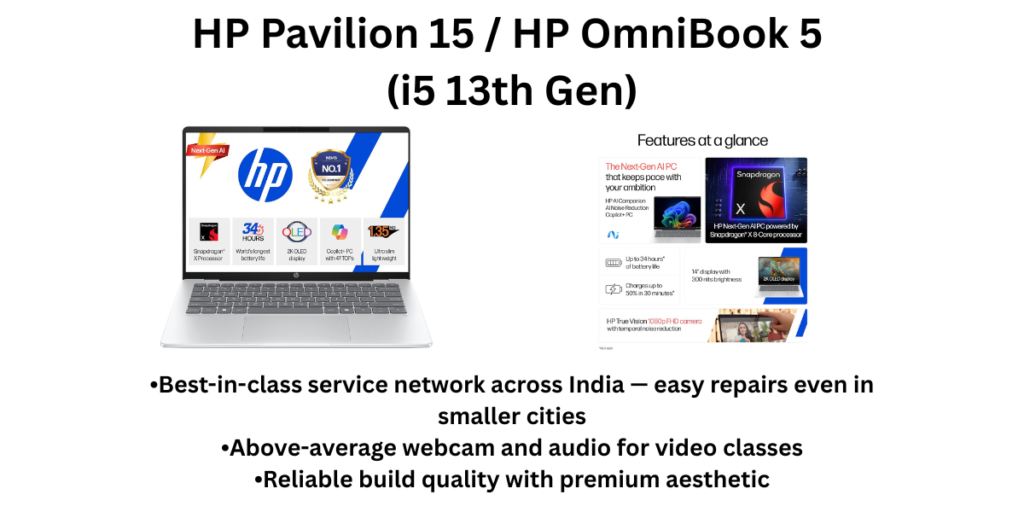
HP has one of the most extensive service centre networks in India, stretching into Tier 2 and Tier 3 cities — and for students in smaller towns, this matters enormously. The HP Pavilion 15 (now rebranded partly as HP OmniBook 5) delivers solid performance with a 13th Gen Intel Core i5, 16GB RAM, and 512GB SSD, wrapped in a polished aluminium-accented design that doesn’t look out of place in a college setting.
HP laptops also tend to have better webcam and audio quality than many competitors at this price, which means your video lectures and online group study sessions feel more professional. The display’s anti-glare coating is especially appreciated by students in brightly-lit classrooms.
Key Specifications
| Processor | Intel Core i5-1334U / 13th Gen |
| RAM | 16GB DDR4 |
| Storage | 512GB SSD |
| Display | 15.6″ FHD IPS, Anti-glare |
| Battery | ~7–9 hours |
| Weight | 1.59–1.75 kg |
| OS | Windows 11 Home |
| Price (India) | ₹52,000 – ₹65,000 |
✅ Pros
- Best-in-class service network across India — easy repairs even in smaller cities
- Above-average webcam and audio for video classes
- Reliable build quality with premium aesthetic
- Anti-glare display is comfortable for long study hours
- Good thermal management — stays cool during extended use
❌ Cons
- Slightly pricier than equivalent Lenovo/ASUS options
- Battery life is good but not exceptional
- No dedicated GPU
- Design is conservative — not flashy for those who prefer bold aesthetics
🎯 Who Should Buy It?
Students from smaller towns and cities where service support is a real concern. Also ideal for students who do a lot of video calling, participate in online classes regularly, or want a dependable, no-fuss machine from a trusted brand.
6: Dell Inspiron 15 3520 (i5 12th Gen / i3 + SSD)
Most Dependable Laptop for Students Who Want It to Last 4+ Years
💰 Price: ₹38,000 – ₹55,000 depending on config
Overview
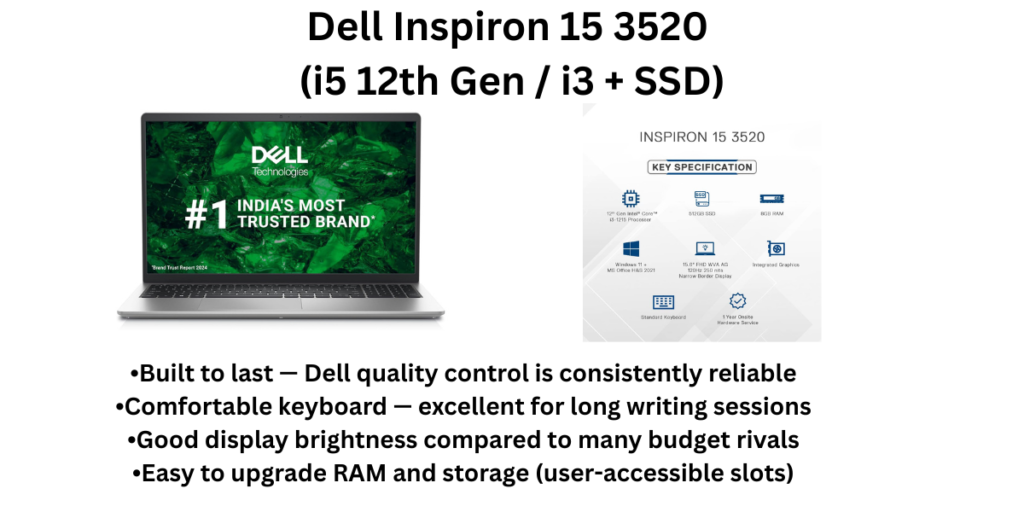
Dell’s Inspiron lineup has earned a reputation for durability over the years, and the Inspiron 15 3520 continues that tradition. While it may not have the flashiest specs or the thinnest profile, it’s built to last — and for a student investing in a machine that has to survive four years of college (and perhaps more), that counts for a great deal.
The 15.6-inch FHD display is bright enough for most indoor environments, and the keyboard is comfortable for extended typing sessions — important for students writing lengthy assignments and dissertations. Dell’s support infrastructure in India is solid, and parts availability is generally better than smaller brands.
Key Specifications
| Processor | Intel Core i5-1235U (12th Gen) or Core i3 |
| RAM | 8GB – 16GB DDR4 |
| Storage | 512GB SSD |
| Display | 15.6″ FHD, Anti-glare |
| Battery | ~6–8 hours (real-world) |
| Weight | 1.73 kg |
| OS | Windows 11 Home |
| Price (India) | ₹38,000 – ₹55,000 |
✅ Pros
- Built to last — Dell quality control is consistently reliable
- Comfortable keyboard — excellent for long writing sessions
- Good display brightness compared to many budget rivals
- Easy to upgrade RAM and storage (user-accessible slots)
- Strong resale value among Windows laptops
❌ Cons
- Design looks dated compared to newer Lenovo/ASUS models
- Base 8GB RAM config is not recommended in 2026 — always target 16GB
- Battery life is below average at ~6–7 hours
- Heavier than average for a 15-inch laptop
- No dedicated GPU
🎯 Who Should Buy It?
Students who want a dependable, no-frills workhorse that will still be running smoothly in their final year of college. Great for Law, MBA, Engineering (non-simulation), and students who prefer upgradeability over sleekness.
7: ASUS TUF Gaming A15 (Ryzen 7 / RTX 4060)
Best Laptop for Engineering Students and Gamers
💰 Price: ₹70,000 – ₹85,000
Overview
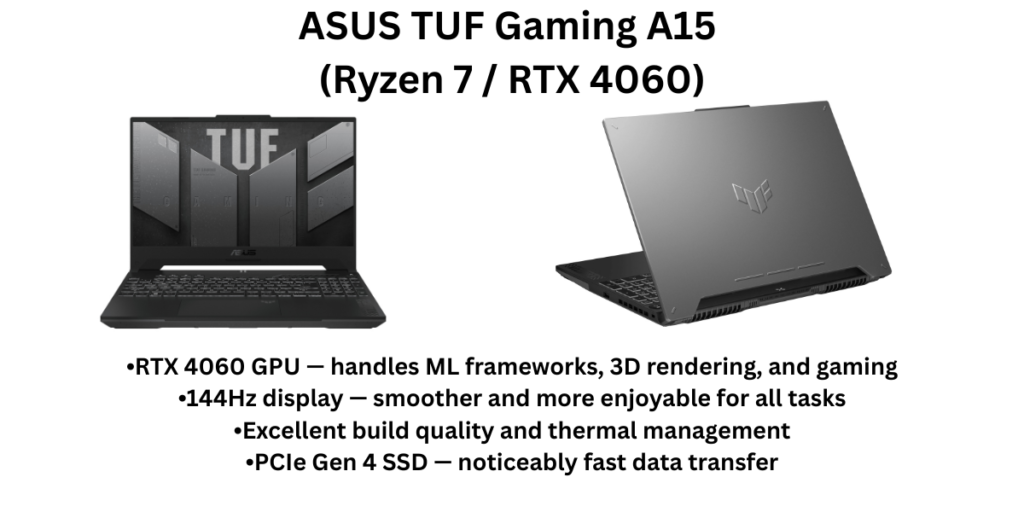
The ASUS TUF Gaming A15 occupies a unique space in the student laptop market — it’s a machine with real GPU muscle (NVIDIA RTX 4060) that doesn’t cost MacBook money. For engineering students who need to run simulations, work with machine learning frameworks, render 3D models, or simply want to decompress with games after a brutal exam season, this is the laptop the rest of this list can’t match.
The 144Hz display is noticeably smoother for everything — even regular scrolling and web browsing feel better than on a 60Hz screen. The build quality lives up to the ‘TUF’ (Tough) branding; this is a machine that can handle the rigours of a busy campus life. Thermals are managed well with dual fans and an efficient heat pipe design.
Key Specifications
| Processor | AMD Ryzen 7 7745HS / 7535HS |
| RAM | 16GB DDR5 |
| Storage | 512GB PCIe Gen 4 SSD |
| Display | 15.6″ FHD 144Hz, 100% sRGB |
| GPU | NVIDIA GeForce RTX 4060 (6GB GDDR6) or RTX 3050 |
| Battery | ~4–6 hours (heavy use) / ~8 hours (light) |
| Weight | 2.2 kg |
| OS | Windows 11 Home |
| Price (India) | ₹70,000 – ₹85,000 |
✅ Pros
- RTX 4060 GPU — handles ML frameworks, 3D rendering, and gaming
- 144Hz display — smoother and more enjoyable for all tasks
- Excellent build quality and thermal management
- PCIe Gen 4 SSD — noticeably fast data transfer
- 100% sRGB display — accurate colours for design/media students
- Future-proof for demanding academic workloads
❌ Cons
- Battery life suffers significantly under GPU load — expect 4–5 hours
- Heavy at 2.2 kg — not a commuter’s laptop
- Runs warm during intensive tasks
- Gamer aesthetic (RGB, angular design) may not suit all students
- Overkill and overpriced for students who only need office/browsing tasks
🎯 Who Should Buy It?
Computer Science (ML/AI/game dev), Mechanical/Civil Engineering (CAD/simulation), Architecture, and Animation students who need GPU compute power. Also for students who game seriously and want one machine to do everything.
8: Samsung Galaxy Book4 (Intel Core i5, 16GB)
Best Laptop for Samsung Ecosystem Users — Sleek, Capable, and Connected
💰 Price: ₹60,000 – ₹75,000
Overview
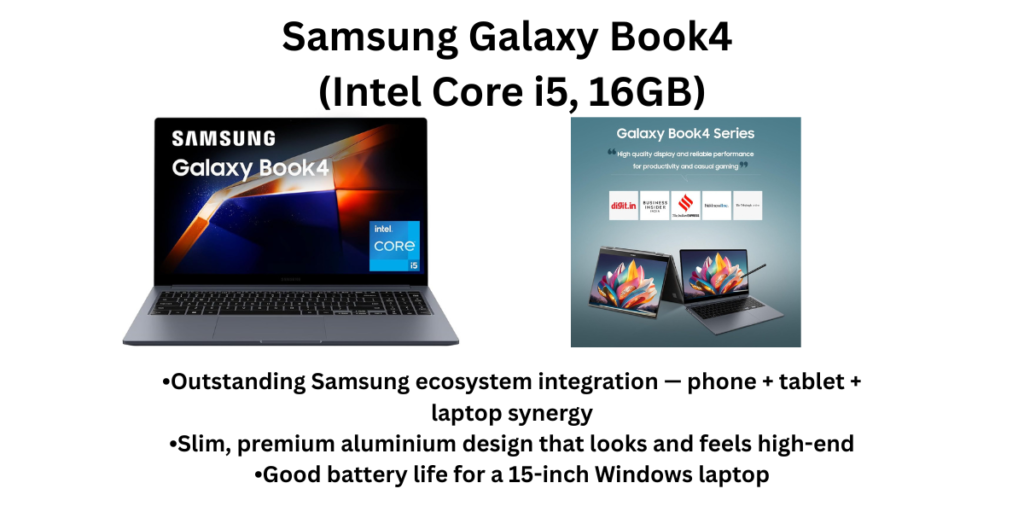
If your phone is a Samsung Galaxy, the Galaxy Book4 rewards you in ways other laptops simply can’t. The seamless phone-laptop integration — sharing clipboard, file transfer without cables, turning your phone into a webcam, and phone call answering from the laptop — genuinely saves time in a student’s day. Beyond the ecosystem perks, this is a very capable laptop in its own right.
The 15.6-inch FHD display is bright and pleasant, the Intel Core i5 with 16GB RAM handles multitasking gracefully, and the slim aluminium build feels premium without being ostentatious. For students who are already deep in the Samsung ecosystem, this is a no-brainer upgrade.
Key Specifications
| Processor | Intel Core i5-1335U (13th Gen) |
| RAM | 16GB LPDDR4 |
| Storage | 512GB NVMe SSD |
| Display | 15.6″ FHD, Dynamic AMOLED 2x (on select variants) / IPS |
| Battery | 61Wh — ~8–10 hours |
| Weight | 1.56 kg |
| OS | Windows 11 Home |
| Price (India) | ₹60,000 – ₹75,000 |
✅ Pros
- Outstanding Samsung ecosystem integration — phone + tablet + laptop synergy
- Slim, premium aluminium design that looks and feels high-end
- Good battery life for a 15-inch Windows laptop
- Above-average display quality — bright and vibrant
- Lightweight at 1.56 kg for a 15-inch device
❌ Cons
- Ecosystem benefits only apply to Samsung Galaxy phone users
- Limited service network compared to Lenovo/HP/Dell in smaller cities
- Priced at a premium compared to similarly-specced Lenovo/HP models
- No dedicated GPU
- Value proposition weakens significantly if you don’t own a Samsung phone
🎯 Who Should Buy It?
Students who use a Samsung Galaxy smartphone and want a tightly integrated productivity setup. Particularly suited for Commerce, MBA, Media, and Humanities students who spend a lot of time between their phone and laptop and value design and portability.
Quick Comparison: All 8 Laptops at a Glance
| Laptop | Price (₹) | RAM | Battery | Weight | Best For |
| Apple MacBook Air M4 | Starts at ~₹89,990 | 16GB Unified | Up to 18 hours (video playback) | 1.24 kg | Commerce |
| Lenovo IdeaPad Slim 3 | ₹40,000 – ₹52,000 depending on config | 16GB DDR5 | ~7–9 hours (real-world academic use) | 1.62–1.73 kg | BBA |
| ASUS Vivobook 16 | ₹45,000 – ₹60,000 | 16GB DDR4/DDR5 | ~6–8 hours (real-world) | 1.88 kg | Engineering |
| Acer Aspire Go 14 | ₹42,000 – ₹50,000 | 16GB DDR5 | 55Wh — ~8–10 hours academic use | 1.5 kg | Students who commute long distances and prioritise portability — medical |
| HP Pavilion 15 / HP OmniBook 5 | ₹52,000 – ₹65,000 | 16GB DDR4 | ~7–9 hours | 1.59–1.75 kg | Students from smaller towns and cities where service support is a real concern |
| Dell Inspiron 15 3520 | ₹38,000 – ₹55,000 depending on config | 8GB – | ~6–8 hours (real-world) | 1.73 kg | Students who want a dependable |
| ASUS TUF Gaming A15 | ₹70,000 – ₹85,000 | 16GB DDR5 | NVIDIA GeForce RTX 4060 (6GB GDDR6) or RTX 3050 | ~4–6 hours (heavy use) / ~8 hours (light) | Computer Science (ML/AI/game dev) |
| Samsung Galaxy Book4 | ₹60,000 – ₹75,000 | 16GB LPDDR4 | 61Wh — ~8–10 hours | 1.56 kg | Students who use a Samsung Galaxy smartphone and want a tightly integrated productivity setup |
Final Recommendations — Which Laptop Should You Buy?
There is no single ‘best laptop for every student in India’ — the right choice depends entirely on your course, budget, and habits. But here is our honest, experience-based summary to help you decide quickly:
Buy the MacBook Air M4 if…
You’re studying Commerce, CA, MBA, Law, Journalism, or Computer Science (macOS-friendly dev), you have a budget above ₹90,000, and you want a machine that will still feel fast and supported in 2030. The 16GB RAM, silent operation, and 18-hour battery make it the most future-proof laptop in this entire list. Apple’s student discount can bring the price down meaningfully — always check before paying full price.
Buy the Lenovo IdeaPad Slim 3 if…
You’re a first-year student or your family has a budget between ₹40,000–₹52,000. This is the most balanced Windows laptop money can buy in that range — reliable, lightweight, with MS Office included, and a Lenovo service centre in almost every city in India. For the average Indian college student, this is the default correct answer.
Buy the ASUS TUF Gaming A15 if…
You’re pursuing Computer Science, AI/ML, Mechanical Engineering, Architecture, or Game Design, and you need a real GPU. The RTX 4060 will handle your rendering tasks, machine learning models, and gaming in ways no other laptop on this list can. Just accept the weight and plan to carry your charger.
Buy the Acer Aspire Go 14 if…
You’re a daily commuter who needs the lightest, most portable laptop under ₹50,000. The metal build, 16:10 display, and Intel Core Ultra 5 chip are genuinely impressive for the price. It punches well above its weight class.
Buy the Dell Inspiron 15 3520 if…
Durability is your top priority and you want a laptop that will still be running reliably in your final year. Dell’s build quality and parts availability give it an edge for long-term ownership. Always configure it with 16GB RAM and SSD.
Whatever you choose, here is our universal advice for Indian students: never settle for 4GB RAM or an HDD in 2026. Both will slow you down within months. An SSD with 16GB RAM at any price point is the baseline. Stay within your budget, choose a brand with a service centre near your campus, and invest in a good laptop bag — your machine’s longevity depends heavily on how well you protect it.
This article was written with Indian students and their families in mind — covering real-world considerations like service networks, local pricing, commuting habits, and course-specific needs. Prices are indicative as of March 2026 and may vary across retailers and during sale events.
Also read: 6 Best Laptops Under ₹60,000 in India