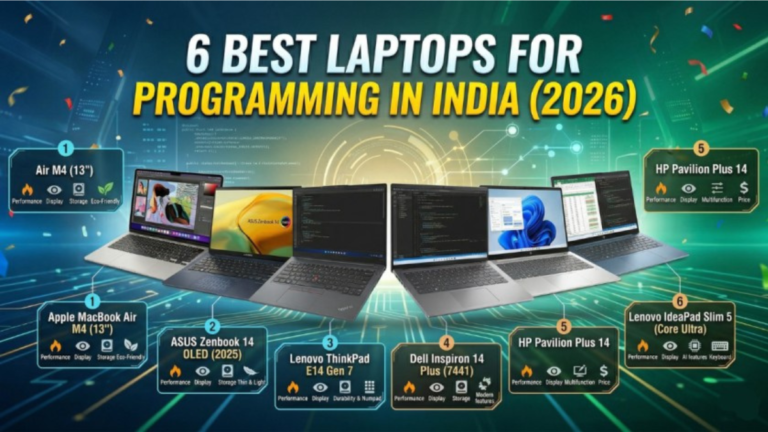
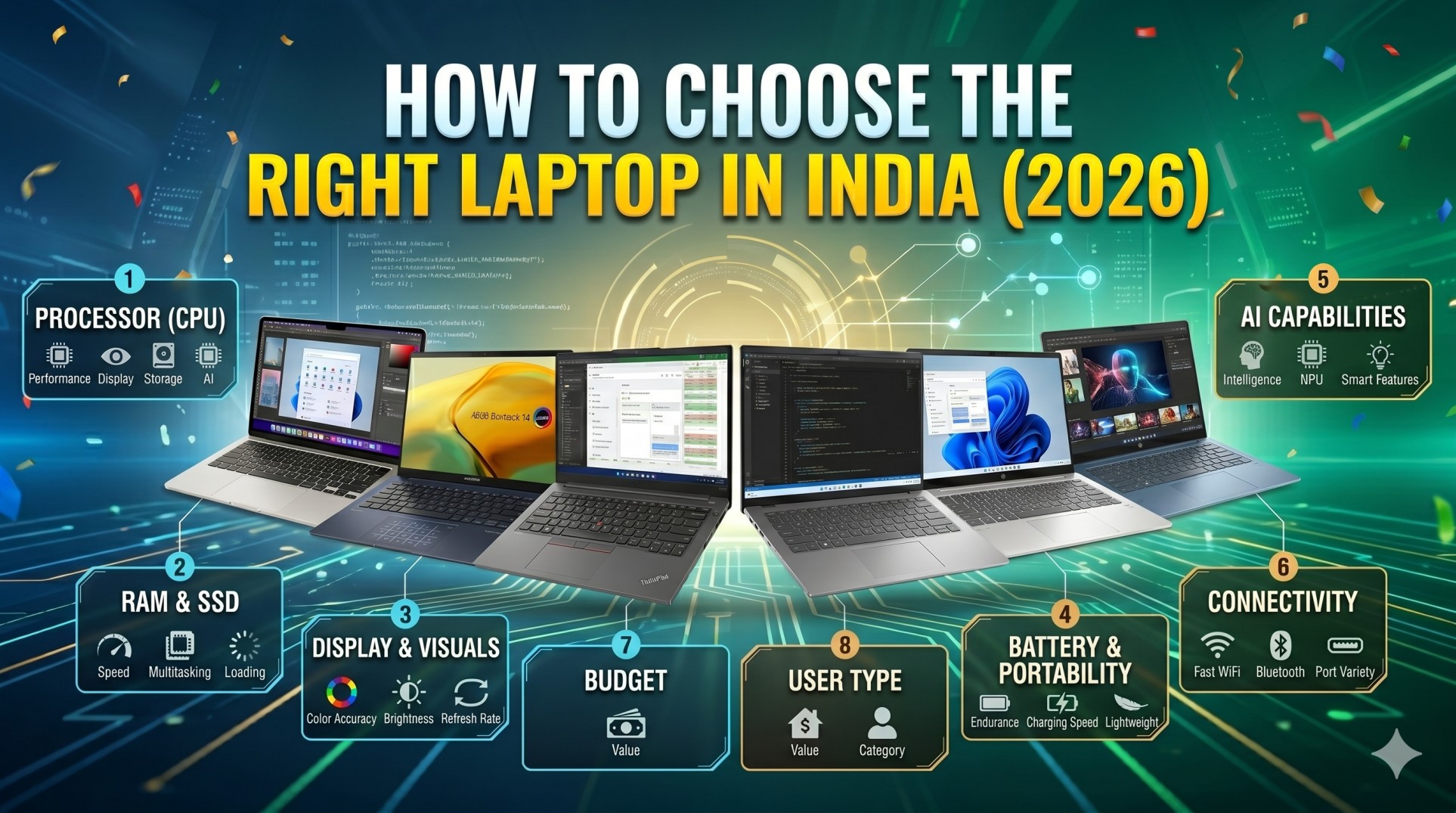
How to Choose the Right Laptop in India (2026): The Complete Buying Guide
Buying a laptop in India in 2026 is both easier and harder than it has ever been. Easier, because the market now offers more powerful machines at more competitive prices than ever before. Harder, because the sheer volume of options — hundreds of models across dozens of brands, sold through both online and offline channels — makes choosing the right one genuinely confusing.
This guide cuts through that noise and helps you how to choose the right laptop in India. Whether you are a student buying your first laptop under ₹30,000, a professional looking for a powerful workstation under ₹1,00,000, or a creator hunting for the best display and GPU combination, this pillar guide covers every factor you need to evaluate before spending your money.
Bookmark this page. By the end, you will know exactly what to look for, what to ignore, and which laptop is right for your specific use case.
Table of Contents
- Why Choosing the Right Laptop in India Is Different
- Define Your Use Case First
- How to Set a Realistic Budget in India (2026)
- Processor (CPU): The Heart of Your Laptop
- RAM: How Much Do You Actually Need?
- Storage: SSD vs HDD, and How Much Space
- Display: Size, Resolution, Refresh Rate, and Panel Type
- Battery Life: What the Numbers Actually Mean
- Graphics Card (GPU): Do You Need a Dedicated GPU?
- Build Quality, Keyboard, and Trackpad
- Ports and Connectivity
- Operating System: Windows vs macOS vs ChromeOS
- Warranty and After-Sales Service in India
- Where to Buy a Laptop in India: Online vs Offline
- Best Laptops in India (2026) by Category
- Red Flags to Avoid When Buying a Laptop
- Frequently Asked Questions
1. Why Choosing the Right Laptop in India Is Different
The Indian laptop market has unique characteristics that a generic buying guide from the US or Europe simply cannot account for.
Price-to-performance sensitivity is extremely high. Indian buyers are among the most value-conscious in the world. A laptop that costs ₹65,000 in India might cost the equivalent of ₹55,000 in the US after conversion — and yet local consumers still demand more: longer warranties, more ports, better battery life, and higher build quality.
Climate and durability matter. India’s diverse climate — from humid coastal cities to dry, dusty northern plains — means you should pay extra attention to keyboard quality, dust resistance, and thermal performance. A laptop with poor thermal design will throttle aggressively in a 38°C room.
Service centre availability is non-negotiable. A brand with excellent global reviews but only two service centres in your state is a liability. Brands like HP, Dell, Lenovo, and Asus have the deepest service networks in India; Apple has expanded considerably in Tier-1 cities; and several Chinese brands have thin on-ground support.
GST and import duties affect pricing. Laptop prices in India include 18% GST, and some models manufactured abroad carry additional levies. This is why the same chip in two different laptops can result in a significant price gap.
Power cuts and voltage fluctuations are real. If you live in a city with frequent power cuts, a laptop with a large battery and reliable charging behaviour is not a luxury — it is essential.
Keep these factors in mind as you read through the rest of this guide.
2. Define Your Use Case First
The single biggest mistake Indian laptop buyers make is starting with a budget or a brand rather than starting with what they actually need the laptop to do. Your use case determines everything: the processor you need, how much RAM makes sense, whether a dedicated GPU matters, and how portable the machine needs to be.
Here are the most common use cases in India and what they demand:
Students (general purpose): Web browsing, note-taking, video streaming, basic Office/Google Docs work, and video calls. These tasks are light. An entry-level processor with 8GB RAM and 256GB SSD is sufficient. Battery life is the most critical spec.
Engineering and design students: AutoCAD, SolidWorks, Adobe Suite, or programming environments. These are moderately demanding. You need at least 16GB RAM, a fast SSD of 512GB or more, and a dedicated GPU for rendering or simulation.
Working professionals (non-creative): Excel, video conferencing, cloud applications, email. Portability and battery life are paramount. A thin-and-light laptop with a 12th or 13th generation Intel Core i5 or AMD Ryzen 5 processor handles this easily.
Content creators (video, photo, 3D): Final Cut Pro, Premiere Pro, DaVinci Resolve, Blender. These are the most demanding tasks. You need a fast multi-core processor, 16–32GB RAM, a dedicated GPU with at least 6GB VRAM, and an excellent colour-accurate display.
Gamers: Gaming in India has exploded. You need a dedicated NVIDIA GPU (RTX series), a high-refresh-rate display (144Hz minimum), good thermal design, and a battery that can survive a few hours unplugged. Do not expect the same battery life from a gaming laptop as from a productivity ultrabook.
Coders and developers: Coding itself is not CPU-intensive, but running virtual machines, Docker containers, or large compiles can be. At least 16GB RAM, a fast SSD, and a good keyboard are your priorities.
Home and casual users: Streaming, social media, video calls, light documents. The cheapest capable laptop on the market handles this fine.
Once you are clear on your use case, every other decision in this guide becomes much simpler.
3. How to Set a Realistic Budget in India (2026)
Laptop prices in India in 2026 generally fall into these tiers:
Under ₹25,000: Entry-level territory. These laptops run Intel Celeron, Pentium, or older AMD processors. They are suitable only for the lightest use: browsing, streaming, and document editing. Do not expect speed, longevity, or upgradability here.
₹25,000 – ₹45,000: The most popular segment in India. AMD Ryzen 3/5 and Intel Core i3/i5 processors dominate here. You can get 8GB RAM, a 256–512GB SSD, and a decent 15-inch display. This is the sweet spot for students and light professionals.
₹45,000 – ₹70,000: Mid-range excellence. AMD Ryzen 5/7 and Intel Core i5/i7 with 16GB RAM, fast SSDs, and better displays. Thin-and-light laptops with good build quality live here. Most working professionals should look in this range.
₹70,000 – ₹1,00,000: Premium productivity. Excellent build quality, OLED or high-resolution displays, longer battery life, and strong performance. MacBook Air models, Dell XPS 13, and ThinkPad X1 Carbon compete here.
Above ₹1,00,000: Creator and gaming territory. Apple MacBook Pro, HP Spectre, ASUS ROG/Zephyrus, ASUS ProArt, and similar flagships. These are professional tools with professional price tags.
Pro tip for Indian buyers: Watch for festive season sales — Amazon Great Indian Festival and Flipkart Big Billion Days in October–November typically offer the deepest discounts of the year, often 10–20% off on mainstream laptops. Bank cashback offers and EMI with zero-cost options further improve value.
4. Processor (CPU): The Heart of Your Laptop
The CPU is the most important component in any laptop. In 2026, the Indian market is dominated by processors from Intel, AMD, and Apple. Here is how to evaluate them.
Intel vs AMD: Who Wins?
Both Intel and AMD make excellent laptop processors in 2026. The rivalry is healthy for consumers.
Intel Core Ultra (Series 2) processors — the latest generation in 2026 — feature dedicated AI accelerator (NPU) hardware and strong single-core performance. Intel’s integration with Thunderbolt 4 and 5 is an advantage for users with peripherals. The Core Ultra 5 and Core Ultra 7 variants cover most productivity use cases.
AMD Ryzen AI 300 and Ryzen 7000 series processors offer exceptional multi-core performance and are often slightly more power-efficient, translating to better battery life in daily use. AMD’s integrated Radeon graphics are also notably better than Intel’s integrated graphics, which matters if you are not buying a dedicated GPU.
For most Indian buyers: Either Intel or AMD in the Core i5 / Ryzen 5 tier or above provides more than enough performance. Do not get fixated on the brand. Focus on the generation — a 2024-generation Ryzen 5 beats a 2021-generation Core i7 in most tasks.
Apple Silicon: The Mac Exception
If you are considering a MacBook, Apple’s M-series chips (M3, M4) are in a class of their own for performance-per-watt. The MacBook Air with M3 or M4 chip routinely delivers 15–18 hours of real-world battery life, which no Windows laptop can match. However, the software ecosystem is different and the price premium is real.
What to Avoid
Avoid Intel Celeron, Intel Pentium, and the AMD Athlon or very old Ryzen 3 (2000 series) processors in 2026. These are too slow for modern multitasking and will feel frustrating within a year of purchase. If you want to learn how to choose the right laptop in India, you need to be careful about all factors.
The Letter Suffix Matters
Intel and AMD both use letters to indicate power profiles:
- U suffix (Intel) / HS suffix (AMD): Low power, thin laptops, better battery life
- H or HX suffix (Intel) / HX suffix (AMD): High performance, thicker laptops, better for creators and gamers, shorter battery life
Match the power profile to your use case. A gaming laptop with a U-series processor is a poor choice for gaming. A thin-and-light with an HX processor runs hot and drains fast.
5. RAM: How Much Do You Actually Need?
RAM is temporary working memory. The more you have, the more applications you can run simultaneously without slowdown.
8GB RAM: Acceptable for light use — browsing (with under 10 tabs), document work, and basic streaming. In 2026, this is the minimum. If you are buying a laptop you plan to use for three or more years, 8GB may feel limiting sooner than you expect.
16GB RAM: The sweet spot for almost everyone. Students, professionals, moderate multitaskers, developers, and creators doing basic work are all well-served by 16GB. This is what most buyers in the ₹40,000–₹80,000 range should target.
32GB RAM: For video editors, 3D designers, data scientists, developers running virtual machines, and power users who genuinely stress their systems. If you are not sure whether you need 32GB, you probably do not.
64GB or more: Reserved for high-end workstations, machine learning tasks, and professional 3D or video production pipelines.
One Critical Warning for Indian Buyers
Many laptops, particularly at the entry and mid-range level, have RAM soldered to the motherboard. This means you cannot upgrade it later. Always check whether the RAM is soldered or slotted. If it is soldered, buy the configuration with enough RAM from day one — you cannot add more later.
6. Storage: SSD vs HDD, and How Much Space
SSD vs HDD: Not Even a Contest in 2026
Hard disk drives (HDDs) are nearly obsolete in laptops in 2026. They are slow, fragile (they have moving parts), and power-hungry. A laptop with an HDD as its only storage is not worth buying at any price. The speed difference between an HDD and even an entry-level SSD is enormous — the same Windows startup that takes 60 seconds on an HDD takes under 10 seconds on an SSD.
Buy only laptops with SSDs. If a laptop at a given price has an HDD and another has an SSD, the SSD laptop is almost always the better purchase even if other specs are lower.
NVMe vs SATA SSD
Within SSDs, NVMe (PCIe) SSDs are faster than SATA SSDs. In daily use — opening apps, browsing files, loading websites — the difference is not dramatic. But for large file transfers, video editing, and booting large applications, NVMe is noticeably quicker. Most mid-range and premium laptops in 2026 use NVMe by default.
How Much Storage?
- 256GB: Tight in 2026. Workable for light users who store files on the cloud, but you will feel the constraint.
- 512GB: The new minimum for most people. Comfortable for everyday work, moderate media storage, and a few large applications.
- 1TB: Ideal for creators, gamers, and anyone who stores large files locally.
- 2TB and above: For professionals with serious storage needs.
Check if the SSD is upgradeable. Some thin laptops solder the SSD too. If it is upgradeable, you can always add a larger SSD later, making a 512GB purchase future-proof.
7. Display: Size, Resolution, Refresh Rate, and Panel Type
The display is the one component you interact with every second you use the laptop. Do not compromise here.
Screen Size
13–14 inches: Maximum portability. Ideal for frequent travellers and commuters. The trade-off is screen real estate.
15–16 inches: The most popular size in India. A good balance of portability and usability. Works well on a desk and is manageable in a bag.
17 inches and above: Desktop replacement territory. Not very portable, but excellent for immersive gaming or detailed creative work.
Resolution
1920×1080 (Full HD): Standard and acceptable. Fine for a 15-inch laptop. Can look slightly soft on a smaller screen.
2560×1600 or 2880×1800 (2K/QHD+): Noticeably sharper. Text is crisp, images are detailed. This is where premium productivity laptops live in 2026.
3840×2400 (4K): Stunning but power-hungry. Real-world battery impact is significant. Largely used in high-end creator and media consumption laptops.
Avoid 1366×768 displays entirely. They are outdated, dull, and frustrating to work with.
Panel Type
IPS: Good viewing angles, accurate colours, decent brightness. The standard for productivity laptops.
VA: Higher contrast than IPS but narrower viewing angles. Found in some gaming laptops.
OLED: Exceptional contrast, deep blacks, vibrant colours. Ideal for creators and media consumption. Potential concern: burn-in over years of static UI elements. In 2026, OLEDs have improved and many flagship laptops — including several Dell XPS and ASUS ProArt models — use them confidently.
Mini-LED: High brightness, excellent HDR performance, less burn-in risk than OLED. Used in Apple MacBook Pro 14 and 16-inch models.
Refresh Rate
60Hz: Standard. Fine for document work, browsing, and media.
90Hz or 120Hz: Noticeably smoother scrolling and cursor movement. Worth it on a productivity laptop if available.
144Hz and above: Primarily relevant for gaming. Makes fast-paced games look much smoother.
Brightness and Colour Accuracy
For indoor office use, 300 nits is sufficient. For use near windows or outdoors, aim for 400 nits or above. Apple MacBook Pro and several ASUS/HP premium laptops now offer 1000+ nit peak brightness.
For creators, look for displays covering at least 100% sRGB or ideally 90%+ DCI-P3 for broader colour coverage.
8. Battery Life: What the Numbers Actually Mean
Battery life is where laptop marketing is most misleading. A manufacturer might claim “up to 18 hours,” but real-world usage — with screen brightness at 60%, Wi-Fi on, and actual work happening — often yields half that figure.
How to Read Battery Specs Honestly
The battery capacity is measured in watt-hours (Wh). Higher Wh = larger battery. A 72Wh battery will almost always last longer than a 42Wh battery in the same class of laptop.
However, capacity alone does not determine life. Processor efficiency, display resolution, and software optimization all matter. This is why Apple’s M-series chips, despite often having smaller batteries than competing Windows laptops, deliver superior battery life.
What to Realistically Expect in 2026
- Budget laptops (under ₹35,000): 4–6 hours of real use
- Mid-range thin-and-lights: 7–10 hours of real use
- Premium ultrabooks (Intel Evo certified or AMD Advantage): 10–14 hours
- Apple MacBook Air (M3/M4): 12–18 hours
- Gaming laptops: 2–5 hours under load, 6–8 hours on light tasks
Charging Speed
Fast charging is now standard in the ₹50,000+ segment. Look for laptops that can charge to 50% in 30–45 minutes. USB-C charging (PD charging) is a significant convenience advantage — you can charge from any USB-C power brick or power bank.
9. Graphics Card (GPU): Do You Need a Dedicated GPU?
Most Indian laptop buyers do not need a dedicated GPU. Here is how to decide.
Integrated Graphics: Good Enough for Most
Modern integrated graphics — Intel Iris Xe, Intel Arc, AMD Radeon integrated, and Apple GPU — handle video streaming, casual gaming at low settings, light video editing, and all productivity tasks without issue. In 2026, AMD’s Ryzen integrated Radeon 890M and Intel’s Arc Graphics are genuinely capable integrated GPUs.
When You Need a Dedicated GPU
You need a dedicated GPU if you are:
- Gaming seriously (any competitive or AAA gaming)
- Editing video in high resolution (4K+) professionally
- Working in 3D design, animation, or VFX
- Running machine learning models locally
- Using GPU-accelerated software like DaVinci Resolve, Blender, or CUDA-based tools
NVIDIA vs AMD for Dedicated Laptops
NVIDIA GeForce RTX 4050, 4060, 4070, and 4080 are the dominant dedicated GPU choices in Indian gaming and creator laptops in 2026. NVIDIA’s DLSS 3 upscaling and ray tracing lead the market. For professional workloads, NVIDIA’s CUDA acceleration is better supported across software.
AMD Radeon RX 7000M series laptops are available but less common in India and have a thinner ecosystem of software support for GPU-accelerated tasks.
For creators specifically, also consider laptops with NVIDIA RTX professional (not gaming) GPUs — the RTX Ada series delivers better colour accuracy and stability for creative software.
VRAM: How Much?
- 4GB VRAM: Entry-level gaming at 1080p, light video editing
- 6–8GB VRAM: Comfortable gaming at 1080p/1440p, moderate video editing and 3D work
- 12–16GB VRAM: Professional-grade creation, 4K editing, complex 3D rendering
10. Build Quality, Keyboard, and Trackpad
These are the parts of a laptop you physically interact with every day. Surprisingly, many buyers overlook them entirely in favour of specs.
Build Quality and Materials
Polycarbonate (plastic): Found in budget and mid-range laptops. Lighter and cheaper, but less premium and more prone to flex.
Aluminium alloy: Used in most mid-range and premium laptops. Stiffer, more durable, better thermal dissipation.
Magnesium alloy: Used in business laptops like the ThinkPad series. Very strong, very light, but less visually premium than aluminium.
MIL-SPEC 810G certification: Some laptops — particularly Lenovo ThinkPads, Dell Latitude, and HP ProBook — carry military-grade durability certifications. This means they have been tested for drops, dust, humidity, and temperature extremes. Relevant for field use or accident-prone users.
Avoid laptops with excessive chassis flex — particularly lid flex, which can damage displays over time.
Keyboard Quality
A good keyboard makes daily work genuinely pleasant. Key things to evaluate:
- Key travel: The distance keys press down. 1.2mm is acceptable; 1.5mm or more is comfortable. Chiclet keyboards with near-zero travel feel terrible for extended typing.
- Feedback and actuation: A crisp, tactile feel with audible click is preferred over mushy, imprecise keys.
- Layout: Full-size keyboards with a numpad are useful for data entry. Compact layouts save space but require adaptation.
- Backlit keys: Extremely useful in low-light settings. Look for at least two levels of brightness.
Brands known for excellent keyboards: Lenovo ThinkPad, Apple, Dell XPS. Brands known for average keyboards: many budget Acer, budget ASUS, and some HP models.
Trackpad Quality
The trackpad is often an afterthought in budget laptops, but poor trackpad experience is genuinely annoying. Look for:
- Large trackpad surface area
- Smooth, low-friction surface
- Accurate multi-touch gesture support (three-finger swipe for mission control, four-finger desktop switching, pinch to zoom)
- No jitter or accidental input
Apple’s Force Touch trackpad remains the benchmark. Windows laptops with Microsoft Precision Touchpad drivers (a designation found in the laptop’s settings) offer the best Windows trackpad experience.
11. Ports and Connectivity
The ports available on a laptop determine which peripherals you can use without carrying extra adapters.
Essential Ports to Check For
USB-A (Type-A): The classic rectangular USB port. Still essential in India because mice, pen drives, USB drives, and most accessories use it. Laptops that eliminate all USB-A ports force you to carry a hub.
USB-C / Thunderbolt: USB-C is the modern standard. Thunderbolt 4 and 5 (found on Intel laptops) support data transfer at up to 40 Gbps, display output, and charging. At least one USB-C port is essential in 2026. Two or more is ideal.
HDMI: Still the most common display connector in India for projectors, external monitors, and TVs. A full-size HDMI 2.0 or 2.1 port is a significant convenience. Some thin laptops offer Micro HDMI, which requires an adapter.
SD Card Reader: Valuable for photographers and videographers. Often cut from thin laptops.
3.5mm audio jack: Still very relevant in India where wired headphones are common. Surprisingly, some thin laptops omit this.
RJ-45 (Ethernet): Relevant for corporate environments or areas with unreliable Wi-Fi. Mostly cut from thin laptops.
Wireless Connectivity
Wi-Fi 6E or Wi-Fi 7: Both are present in mid-range and premium laptops in 2026. Wi-Fi 6E is fast and robust. Wi-Fi 7 offers the highest theoretical speeds if your router supports it.
Bluetooth 5.3 or 5.4: Standard in 2026. Necessary for wireless mice, keyboards, headphones, and speakers.
12. Operating System: Windows vs macOS vs ChromeOS
Your operating system choice is as important as your hardware choice.
Windows 11
Windows is the dominant OS in India. It runs the broadest range of software, has the most peripherals supported, and offers the most laptop options at every price point. Most Indian enterprise software, government portals, and educational software is built for Windows. In 2026, Windows 11 with Copilot AI integration is mature and stable.
Best for: Most users — students, professionals, gamers, creators, and businesses.
macOS (Sequoia, 2026)
macOS on Apple Silicon is arguably the most capable computing platform in 2026 for certain use cases — specifically creative work, development, and productivity. The battery life, performance, and software quality are exceptional. The limitations are real cost, a smaller software ecosystem (particularly for Windows-only tools and gaming), and the closed hardware ecosystem.
Best for: Developers, designers, video editors, and professionals already in the Apple ecosystem.
Important for Indian buyers: Apple has made significant inroads in India with the launch of Apple Stores in Mumbai and Delhi and a strong service network expansion. MacBooks are now more accessible than before — but still represent a significant price premium.
ChromeOS
Chromebooks running ChromeOS are simple, secure, and extremely affordable. They are excellent for light web-based tasks, education, and users who live entirely in Google’s ecosystem. The limitation is a near-complete dependence on the internet and an inability to run most Windows or Mac software.
Best for: Students doing predominantly web-based work, corporate deployments with managed fleets, and users who need a simple, low-maintenance device.
13. Warranty and After-Sales Service in India
Warranty and after-sales support are often overlooked until something goes wrong. In India, this is a critical buying factor.
What Standard Warranty Covers
Most laptops in India come with a one-year onsite or carry-in warranty as standard. This covers manufacturing defects and hardware failures. It does not cover accidental damage (drops, spills) unless you buy extended coverage.
Extended Warranty Options
Most brands offer 2–3 year extended warranties at the time of purchase, ranging from ₹3,000 to ₹15,000 depending on the laptop and tier. For an expensive laptop you plan to use for 3–5 years, this is almost always worth it.
Some brands, notably Dell and HP, offer accidental damage protection as an add-on. Given India’s daily commute realities, this is worth serious consideration.
Service Centre Density by Brand in India (2026)
| Brand | Service Centre Coverage |
|---|---|
| HP | Excellent — present in Tier 1, 2, and 3 cities |
| Lenovo | Excellent — one of the most extensive networks |
| Dell | Very good — strong in metros and Tier 2 cities |
| Asus | Good — strong in metros, growing in Tier 2 |
| Acer | Good — wide reach but variable service quality |
| Apple | Good in metros (AASP partners in Tier 2) |
| MSI | Moderate — concentrated in large cities |
| Samsung | Moderate — limited laptop-specific support |
14. Where to Buy a Laptop in India: Online vs Offline
Online (Amazon, Flipkart, Croma, Reliance Digital)
Advantages: Lower prices, easier price comparison, access to exclusive online-only configurations, customer reviews, and return policies. Festive sale discounts are deepest online.
Disadvantages: Cannot physically test the laptop before buying. Return processes for large items can be cumbersome. Risk of receiving a different configuration than ordered (buy from authorised sellers only).
Tip: Always buy from the brand’s official store on Amazon or Flipkart, or from the brand’s own website. Avoid third-party sellers offering suspiciously low prices.
Offline (Brand Showrooms, Multi-brand Stores, Croma, Vijay Sales)
Advantages: You can touch and test the laptop. Immediate purchase, no delivery wait. Easier warranty claims in some cases.
Disadvantages: Generally higher prices. Limited stock variety. Salespeople may push overstocked or higher-margin models.
Tip: Research thoroughly online, decide your configuration, and then either buy online or use an offline store as the final touch-and-feel checkpoint before purchasing.
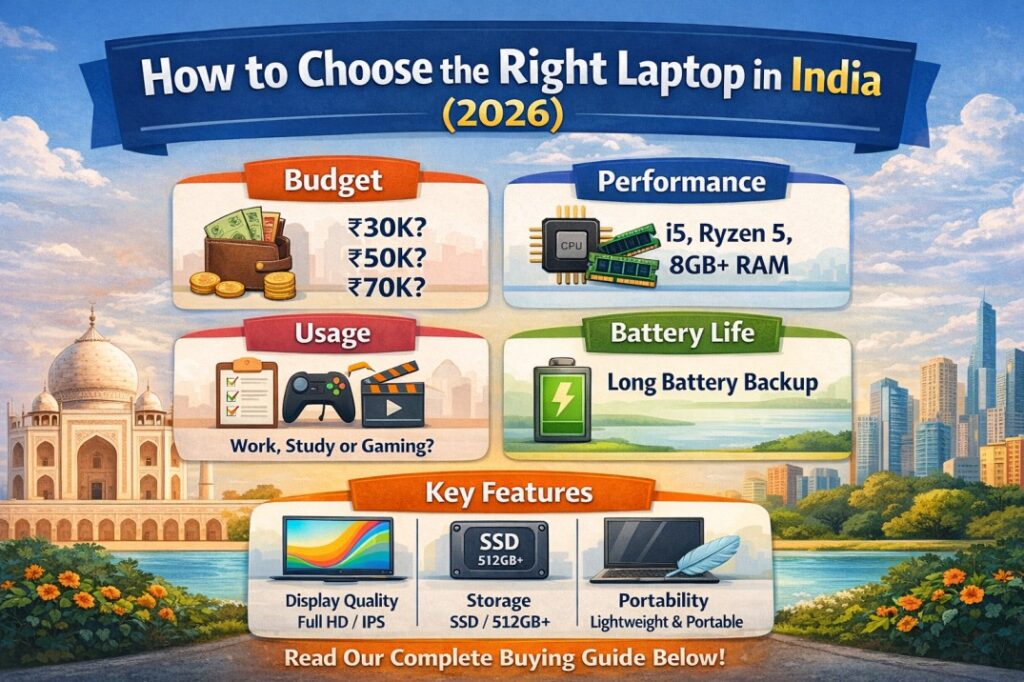
15. Best Laptops in India (2026) by Category
Below are representative recommendations by use case. Note that exact availability and pricing can shift — use these as reference points, not absolute prescriptions. Always verify current prices and configurations before buying.
Best Laptop for Students (Under ₹45,000)
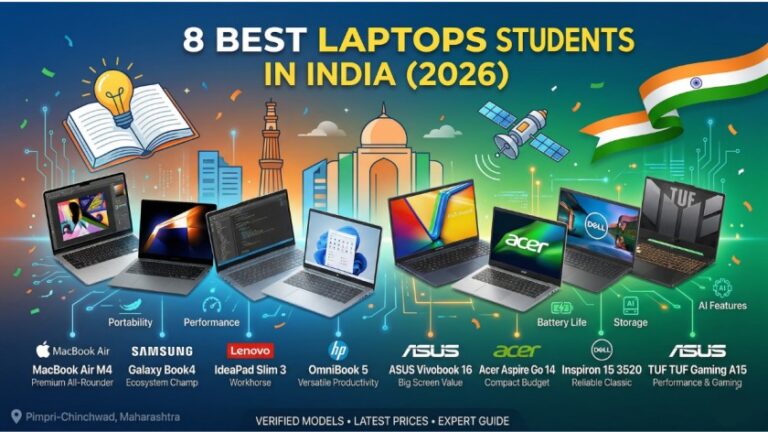
Acer Aspire Lite / Lenovo IdeaPad Slim 3 / HP Laptop 15s (AMD Ryzen 5) Look for: AMD Ryzen 5 7000 series or Intel Core i5 12th gen, 8–16GB RAM, 512GB SSD, 15-inch FHD display. Battery life should be a key deciding factor in this segment.
Best Thin-and-Light for Professionals (₹60,000–₹90,000)
Dell XPS 13 / HP Spectre x360 / ASUS ZenBook 14 OLED / LG Gram 14 Look for: Intel Core Ultra 5/7 or AMD Ryzen 7, 16GB RAM, 512GB–1TB NVMe SSD, OLED or QHD+ display, Thunderbolt 4, 10+ hours battery life.
Best MacBook for Indian Buyers (₹90,000–₹1,30,000)
Apple MacBook Air 13-inch (M3 or M4) The gold standard for battery life, performance-per-watt, and build quality. Best suited for creatives, developers, and Apple ecosystem users.
Best Budget Gaming Laptop (₹65,000–₹85,000)
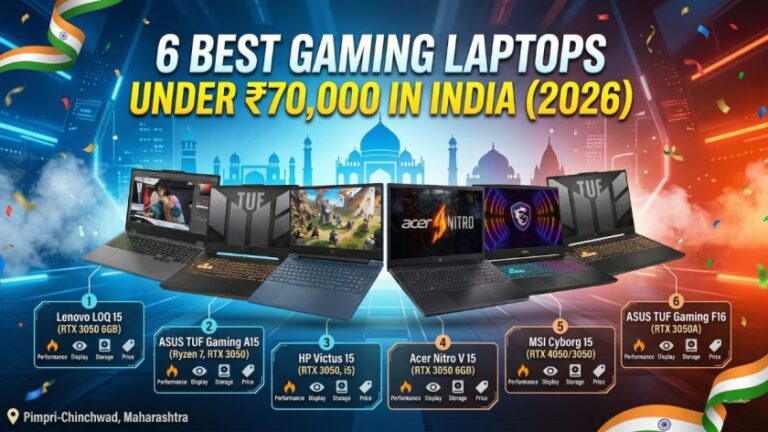
ASUS TUF Gaming A15 / Lenovo LOQ 15 / Acer Nitro V Look for: AMD Ryzen 7 + NVIDIA RTX 4060, 16GB RAM, 512GB SSD, 144Hz display, decent thermal design.
Best Premium Gaming Laptop (Above ₹1,20,000)
ASUS ROG Zephyrus G16 / MSI Raider GE78 / Lenovo Legion 9i Look for: Intel Core i9 / AMD Ryzen 9, NVIDIA RTX 4080, 32GB RAM, 2TB SSD, 240Hz QHD display, Thunderbolt 5.
Best Laptop for Video Editing and Creators (₹80,000–₹1,50,000)
Apple MacBook Pro 14-inch (M4 Pro) / ASUS ProArt Studiobook 16 / Dell XPS 15 Look for: OLED or Mini-LED display with high colour accuracy (DCI-P3 coverage), 32GB RAM, 1TB+ SSD, dedicated GPU with 8GB+ VRAM, Thunderbolt 4/5.
Best Business Laptop (₹70,000–₹1,20,000)
Lenovo ThinkPad X1 Carbon / HP EliteBook 840 / Dell Latitude 9440 Look for: MIL-SPEC certification, excellent keyboard, strong security features (IR camera, fingerprint reader, TPM 2.0), enterprise-grade warranty, Thunderbolt 4.
16. Red Flags to Avoid When Buying a Laptop
Watch for these warning signs that indicate a laptop is a poor purchase:
1. HDD-only storage in 2026. If the only storage is a spinning hard drive, walk away. At any price, an SSD is available — find a model that has one.
2. Less than 8GB RAM with no upgrade path. Especially if it is soldered. This laptop will feel slow within two years.
3. A 1366×768 display. This resolution is obsolete. It makes text blurry, colours flat, and long-term eye strain a real concern.
4. Claimed battery life that massively exceeds the Wh rating. A laptop with a 38Wh battery cannot deliver 10 hours of real battery life. It can deliver 3–4 hours. Claims of 12+ hours on such a battery are marketing fiction.
5. No ISI or BIS certification. In India, laptops and their chargers should carry Bureau of Indian Standards certification. Uncertified chargers especially are a fire hazard.
6. Brands with no authorised service centres in your city. Check the brand’s website for service centre locations before buying. A laptop you cannot get repaired locally is a liability.
7. Refurbished laptops without a verifiable warranty. The used laptop market in India has many excellent deals — but also many misrepresented products. If buying refurbished, buy only from certified refurbishers with a clear warranty.
8. A thermal design that is clearly inadequate for the CPU inside. A thin, light, poorly-ventilated chassis paired with a high-performance H-series processor will throttle aggressively and deliver far less performance than the spec sheet suggests. Check YouTube thermal throttle reviews for any specific model you are considering.
17. Frequently Asked Questions
Q: Which laptop brand is best in India in 2026? There is no single best brand — it depends on your use case and budget. For reliability and service network, HP, Lenovo, and Dell are consistently strong. For premium build and ecosystem, Apple leads. For gaming, ASUS ROG and Lenovo Legion are excellent. For budget value, Acer and ASUS’s entry-level lines compete well.
Q: Is 8GB RAM enough in 2026? For light use — web browsing, documents, streaming — yes. For multitasking, development, or creative work, 16GB is strongly recommended. If the RAM is soldered and cannot be upgraded, buy 16GB from day one.
Q: Should I buy a Windows laptop or a MacBook? If you are in the Apple ecosystem, a developer, a creative professional, or if battery life is your top priority, a MacBook is worth the premium. For most other use cases — especially gaming, enterprise software, and price-conscious buying — Windows is the better choice.
Q: Which is better: Intel or AMD in 2026? Both are excellent. AMD Ryzen offers better integrated graphics and multi-core efficiency. Intel Core Ultra offers strong single-core performance and best-in-class Thunderbolt support. Do not obsess over the brand — focus on the generation, tier, and power profile.
Q: What is the best time to buy a laptop in India? Amazon’s Great Indian Festival and Flipkart’s Big Billion Days (typically October) offer the deepest discounts. Republic Day sales (January) and Independence Day sales (August) are also notable. If you need a laptop urgently, buying from a brand’s official online store during any month still often beats offline retail prices.
Q: Can I game on a non-gaming laptop? Light games — casual titles, older games, indie games — can run on integrated graphics. Modern AAA titles and competitive games at decent settings require a dedicated GPU. Do not buy a non-gaming laptop with gaming in mind.
Q: Is a 2-in-1 (convertible) laptop worth it in India? 2-in-1 convertibles like the HP Spectre x360 or Lenovo Yoga are excellent for users who want both a laptop and a tablet experience. The trade-offs are higher price, slightly shorter battery life, and heavier weight compared to a clamshell. For note-taking with a stylus, they are particularly useful.
Q: How long should a laptop last? A well-maintained mid-range laptop should last 4–6 years. A premium laptop, 5–8 years. Budget laptops realistically last 2–4 years before the hardware feels genuinely limiting. Buying better hardware upfront almost always delivers better long-term value.
Q: What documents should I check when buying a laptop in India? Always ask for: the GST invoice (not just a receipt), the warranty card, and the sealed box. For high-value purchases, register the product on the brand’s website immediately. Keep the box and invoice — both are required for warranty claims.
Conclusion
Choosing the right laptop in India in 2026 is not about finding the most expensive machine or the one with the most impressive spec sheet. It is about matching the hardware to your actual use case, buying from a brand with a reliable service network, and making a purchase you will not regret three years from now.
To summarise the framework this guide gives you:
- Start with your use case. Everything flows from what you need the laptop to do.
- Set a realistic budget based on Indian pricing, keeping GST and after-sales support in mind.
- Prioritise CPU generation, RAM adequacy, SSD storage, and display quality — in that order for most buyers.
- Check the keyboard, build quality, and battery realistically — not just spec-sheet claims.
- Verify port availability, warranty terms, and service centre presence in your city.
- Buy from authorised channels and keep your GST invoice.
If you found this guide useful, share it with anyone in your network who is currently laptop shopping. And if your needs are more specific — a deep dive into gaming laptops under ₹80,000, or the best laptops for CA students, or MacBook vs Windows for video editing — those detailed guides are linked throughout this website.
The right laptop is not the best laptop on paper. It is the best laptop for you.
Last updated: April 2026 | For the most current prices, always check Amazon India, Flipkart, and brand-official websites at the time of purchase.
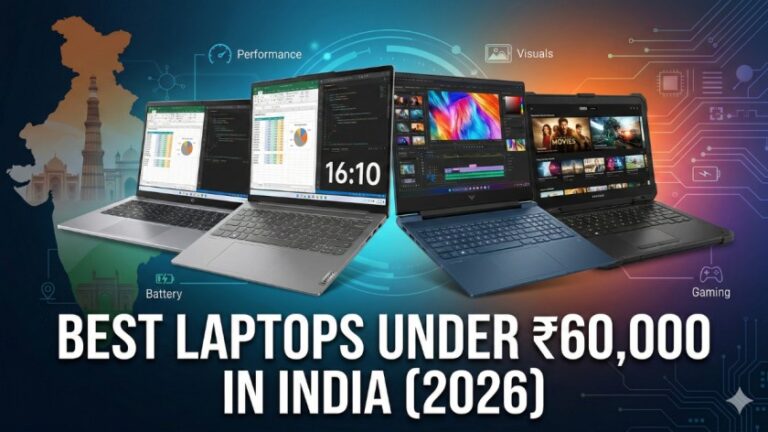
Also read: 6 Best Laptops Under ₹60,000 in India (2026)