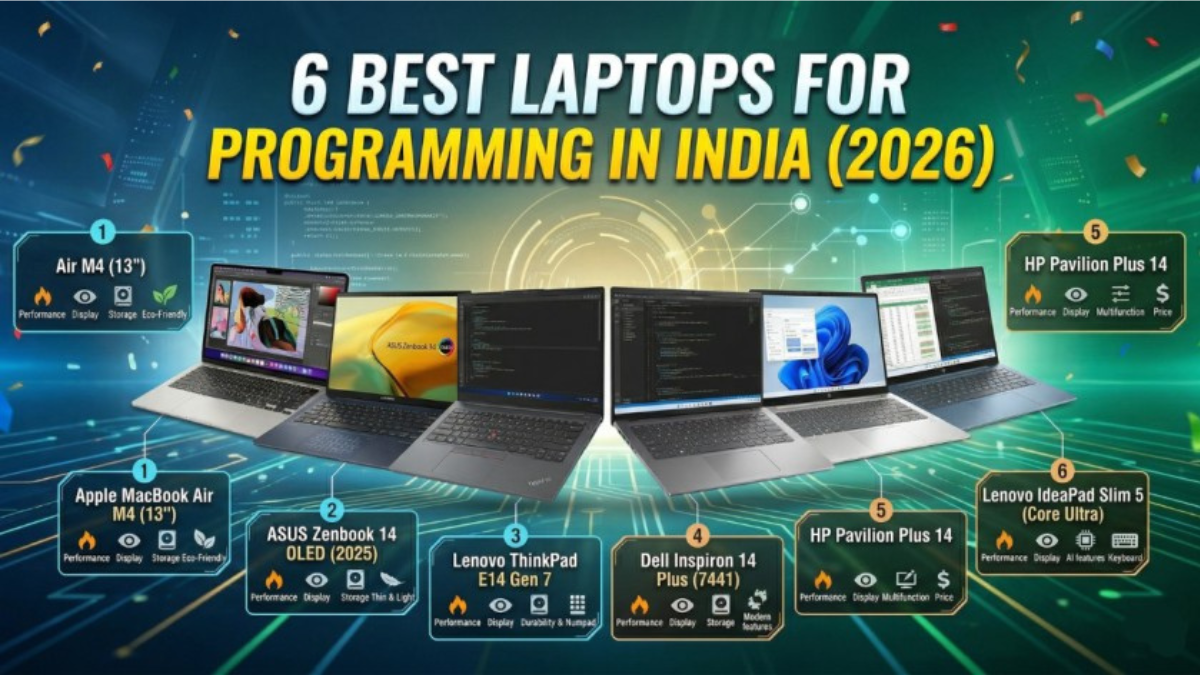
6 Best Laptops for Programming in India (2026)
A Developer’s Honest Guide — Researched Across All Budgets and Coding Disciplines
Introduction: What Programmers Actually Need (and What Salespeople Won’t Tell You)
Here’s the uncomfortable truth about buying a “programming laptop”: almost every laptop sold in India today can technically run VS Code and compile a Python script. So when someone types “best laptop for programming in India” into Google, what they’re really asking is — which laptop will make me productive, comfortable, and not regret my purchase two years from now?
That’s a more nuanced question, and this guide is built to answer it properly.
Coding is one of the most RAM-hungry, CPU-intensive, keyboard-punishing workflows a laptop can face. On an average coding day, a developer has 15+ Chrome tabs open (Stack Overflow, documentation, GitHub), an IDE like VS Code or IntelliJ, one or two terminal sessions, a Docker container running in the background, Slack or Teams, and possibly a local dev server. That’s not a light workload — and it’s why a laptop that “feels fine” in a showroom can feel sluggish within six months of real use.
The Developer Laptop Spec Sheet for 2026 (No Fluff)
Before we get to recommendations, here is the honest minimum for programming in 2026:
Processor: Intel Core Ultra (Series 1 or 2), AMD Ryzen 7000/AI series, or Apple M-series. These are the only chip families worth considering in 2026. Older 10th/11th Gen Intel chips and pre-7000 series AMD chips will feel noticeably slower running modern IDEs and containerised workflows.
RAM — this is where most people go wrong: 16GB is the true floor in 2026. Anything below this and you will feel it within months. If you’re doing machine learning, Android development with emulators, or running Docker containers, 32GB is strongly recommended. And critically — verify whether the RAM is soldered (non-upgradeable) or via SO-DIMM slots. Soldered RAM means what you buy is what you’re stuck with, forever.
Storage: 512GB SSD minimum — and it must be NVMe, not SATA. NVMe SSDs are 4–5x faster for read/write operations, which matters enormously for things like package installs, git operations, and IDE indexing. 1TB is the comfortable amount for most developers.
Display: Programmers stare at screens for 6–10 hours a day. A 1080p IPS or OLED panel, ideally with a 16:10 aspect ratio (more vertical space = more code lines visible at once), is worth paying for. A bad display causes eye strain long before your project deadlines do.
Battery: If you work from a cafe, co-working space, or college canteen, you need at least 8 hours of real-world battery. “Up to 12 hours” in marketing means 6–8 in real developer use. This is especially true for Windows laptops — MacBooks are an exception.
Keyboard: Programmers type more than almost any other profession. A shallow, mushy keyboard will wear you down in ways you won’t notice until you’ve already bought the laptop. ThinkPad, MacBook, and Dell XPS keyboards are the gold standard; budget gaming keyboards are the opposite.
Operating System: This matters more for coding than any other use case. macOS is exceptional for web dev, iOS/mobile dev, and DevOps workflows. Linux runs natively on ThinkPads and many AMD laptops. Windows 11 with WSL 2 (Windows Subsystem for Linux) is now genuinely usable for most development stacks. Choose based on your tech stack, not brand loyalty.
Now, here are the 6 best laptops for programming in India in 2026 — covering every budget and developer profile.
Quick Comparison
| # | Laptop | Price (India) | RAM | Best For |
|---|---|---|---|---|
| 1 | Apple MacBook Air M4 (13″) | ~₹89,990–₹1,09,990 | 16–24GB | Web/mobile dev, all-round |
| 2 | ASUS Zenbook 14 OLED (2025) | ~₹99,990–₹1,14,990 | 16–32GB | Full-stack, AI dev |
| 3 | Lenovo ThinkPad E14 Gen 7 | ~₹62,000–₹85,000 | 16GB | Backend, Linux, enterprise |
| 4 | Dell Inspiron 14 Plus (7441) | ~₹80,000–₹95,000 | 16–32GB | Android dev, multitasking |
| 5 | HP Pavilion Plus 14 | ~₹65,000–₹75,000 | 16GB | Budget full-stack, students |
| 6 | Lenovo IdeaPad Slim 5 (Core Ultra) | ~₹55,000–₹70,000 | 16GB | Beginners, web dev students |
⚠️ Prices verified across Amazon, Flipkart, and Croma as of April 2026. Prices vary by configuration and sale events. Always confirm RAM, storage, and processor variant before purchasing.
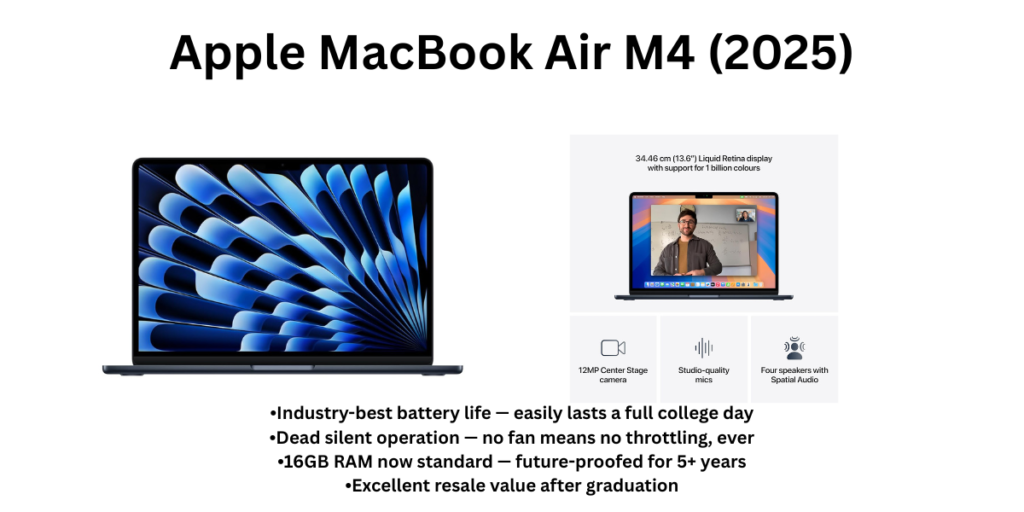
#1 — Apple MacBook Air M4 (2025)
🏆 Best Overall Programming Laptop for Most Developers in India 💰 Price: ~₹89,990 (16GB / 256GB) | ~₹1,09,990 (16GB / 512GB)
Overview
If you ask a senior developer — someone who’s been through three or four laptop cycles and learned what actually matters — which laptop they’d buy today, the answer is almost always the MacBook Air M4. And when you understand why, it stops being about brand loyalty and starts being about physics.
The Apple M4 chip uses an architecture fundamentally different from Intel and AMD. By integrating the CPU, GPU, RAM, and SSD controller on a single die, Apple eliminates the memory bandwidth bottleneck that slows down most laptops during heavy multitasking. The result: a MacBook Air M4 with 16GB of RAM performs tasks that would require 24–32GB on a Windows laptop — things like running multiple Docker containers, compiling large codebases, or keeping 20 browser tabs alongside your IDE. Reviewers testing the MacBook M4 noted that even relatively complex workloads produced no slowdown, no stuttering, and not even a slight performance degradation.
For Indian developers specifically, two things stand out. First, the M4 Air now ships with 16GB as standard — Apple finally retired the embarrassing 8GB base. Second, the battery. According to Apple’s official specifications, the MacBook Air M4 can deliver up to 18 hours of video playback battery life, meaning most students and developers won’t need to carry a charger all day. For someone hopping between college, a library, and a co-working space in Bangalore or Pune, this is transformative.
The Liquid Retina display (13.6-inch, 500 nits, P3 wide colour) is genuinely beautiful to code on — text rendering is crisp, colours are accurate, and the 16:10 aspect ratio means you see more lines of code per screen. The fanless design means it is completely silent — no fan noise during compilation, which sounds minor until you’ve experienced the alternative at 2 AM in a silent room.
The macOS ecosystem for developers is also genuinely strong in 2026: Homebrew, native Terminal, excellent Docker support, seamless GitHub integration, the best version of VS Code available, and outstanding compatibility with Node, Python, Ruby, Go, and Rust toolchains. iOS app development requires a Mac by definition, and the M4 handles Android Studio faster than most Windows laptops with comparable price points.
The limitations are real and worth acknowledging. You’re locked into the macOS ecosystem. Some enterprise VPN clients, .NET-native Windows tools, and certain engineering simulation software won’t run on macOS. The base 256GB storage is genuinely too small for most developers — budget for the 512GB variant. And the price, while justified by longevity and performance, is a stretch for many students.
✅ Pros
- M4 chip’s unified memory architecture means 16GB performs like 24–32GB on Windows
- Genuinely 15–18 hours of real-world battery — no charger needed for most days
- Completely silent — no fan, no thermal throttling in typical developer workloads
- macOS is the gold standard for web dev, DevOps, and mobile development environments
- Best-in-class display: 13.6″ Liquid Retina, 500 nits, P3 wide colour, 60Hz
- Resale value after 3–4 years remains high — long-term investment pays off
- Now ships with 16GB RAM as standard (Apple finally got this right)
❌ Cons
- The 256GB base model is too small — you’ll need the ₹1,09,990 512GB version
- Only 2 USB-C ports — you’ll need a hub for monitors, USB-A peripherals, and SD cards
- Not compatible with some Windows-only dev tools, ERP software, and certain GATE/competitive exam platforms
- No dedicated GPU — not for ML training or game development workflows
- macOS ecosystem lock-in; switching back to Windows takes adjustment time
- Premium price point is a stretch for students on a tight budget
🎯 Who Should Buy It?
Web developers, full-stack engineers, DevOps engineers, iOS/macOS app developers, data scientists using Python/Jupyter, and any programmer who commutes or works from varied locations and needs all-day battery without compromise. Also the best option if you’re already in the Apple ecosystem (iPhone + MacBook combination is genuinely productive). Not for .NET/Windows-heavy stacks, game development, or anyone whose course/employer mandates Windows-specific tools.
#2 — ASUS Zenbook 14 OLED (2025 — Intel Core Ultra 5/7, Series 2)
💻 Best Windows Laptop for Programming — Premium Display, Serious Specs 💰 Price: ~₹99,990 (Core Ultra 5 / 16GB / 1TB) | ~₹1,14,990 (Core Ultra 7 / 32GB / 1TB)
Overview
For developers who need Windows or prefer it — whether because of .NET, Windows-specific frameworks, enterprise compatibility, or simply personal preference — the ASUS Zenbook 14 OLED is the closest thing to a MacBook Air competitor in the premium Windows space, and it makes a genuinely strong case for itself.
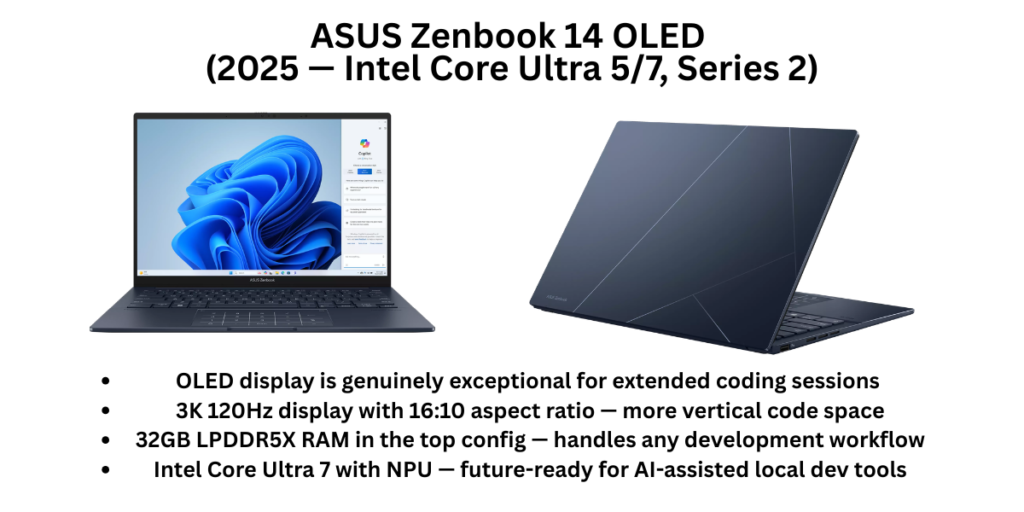
The star of this machine is its display. The Zenbook 14’s OLED panel offers a 2880×1800 resolution at 120Hz with 600-nit brightness, 16:10 aspect ratio, adaptive sync for smooth visuals, and industry-standard colour coverage Asus — which in practical terms means reading code in this machine is a noticeably better experience than on most IPS panels. OLED brings true blacks and significantly better contrast, which makes syntax highlighting pop in a way that reduces fatigue during long sessions. This isn’t just aesthetics — display quality genuinely affects how many productive hours you can extract from a coding session.
The Intel Core Ultra 7 255H (Series 2) with 32GB LPDDR5X RAM and 1TB PCIe 4.0 SSD is a serious development configuration. Docker containers, multiple virtual machines, Android Studio with an emulator, IntelliJ running alongside a browser — this machine handles all of it without visible strain. The Intel Arc iGPU is also capable enough for light ML inference tasks and CUDA-adjacent compute via OpenCL, which is increasingly relevant as AI-assisted coding tools run locally. The 75Wh battery supports all-day use, and USB-C fast charging brings it back quickly when needed.
At 1.28 kg, it’s genuinely ultraportable for a machine with these specs. The build quality is premium — Ceraluminum chassis, Corning Gorilla Glass protection, Harman/Kardon speakers. These aren’t frivolous additions; for a machine you’ll use 8 hours a day for 3+ years, build quality and comfort matter enormously.
The key limitation is the Intel Arc iGPU — while capable, it’s not a discrete GPU. For ML training, large model inference, or Unreal Engine/Unity 3D development, you’d want something with NVIDIA hardware. Also, the 16GB variant’s non-upgradeable soldered RAM is worth thinking about — if budget allows, the 32GB model is future-proof in a way the 16GB version simply isn’t.
✅ Pros
- OLED display is genuinely exceptional for extended coding sessions — reduces eye strain
- 3K 120Hz display with 16:10 aspect ratio — more vertical code space
- 32GB LPDDR5X RAM in the top config — handles any development workflow
- Intel Core Ultra 7 with NPU — future-ready for AI-assisted local dev tools
- Thunderbolt 4, HDMI 2.1, USB-A, and USB-C ports — no dongle needed for most setups
- 1.28 kg — ultraportable for a machine with this specification level
- Wi-Fi 7 on select models — faster, lower-latency connectivity
❌ Cons
- 16GB RAM variants have soldered memory — non-upgradeable, choose wisely
- Intel Arc iGPU — not suitable for ML training or GPU-intensive development
- OLED display can have higher power draw under full brightness, affecting battery
- Premium price — the 32GB/1TB model stretches to ₹1.14L, which is MacBook territory
- Fan can be audible under sustained CPU load
🎯 Who Should Buy It?
Windows-preferring full-stack developers, front-end engineers who care about colour accuracy, developers working in .NET, Java, C++, or Go stacks, and anyone who splits their time between coding and content creation. The 32GB variant is particularly compelling for engineers running Docker, Kafka, or local databases alongside their IDE. Also excellent for students entering their final year or first job who want a machine that will last 4–5 years without RAM becoming a bottleneck.
#3 — Lenovo ThinkPad E14 Gen 7 (AMD Ryzen 7 / Intel Core Ultra)
🛡️ Best Laptop for Serious Backend Developers and Linux Users 💰 Price: ~₹62,000–₹85,000 depending on config and variant
Overview
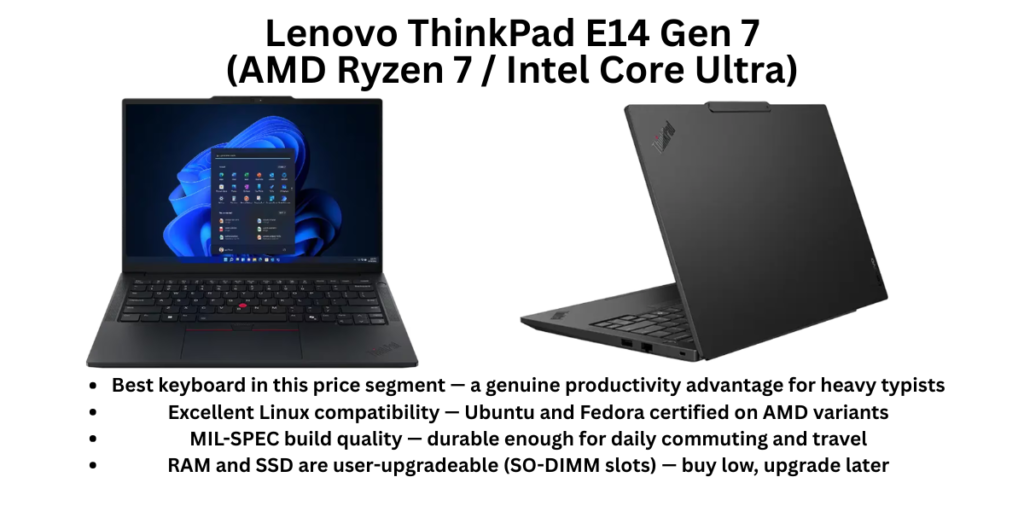
If programming were purely about typing code, the ThinkPad would win this list without contest. No laptop keyboard in this price range — and arguably at any price — is as good as a ThinkPad keyboard. The key travel, tactile feedback, spacing, and the iconic red TrackPoint combine into a typing experience that backend engineers, who write thousands of lines of logic daily, will immediately notice and appreciate.
But the ThinkPad E14 Gen 7 is more than just a keyboard. It’s also the most Linux-friendly laptop in this list by a significant margin. Lenovo has explicitly certified the E14 Gen 7 for Ubuntu compatibility, and the AMD variant (Ryzen 7 7735HS / 200-series) runs Ubuntu, Fedora, and Arch with zero driver headaches. For backend developers, DevOps engineers, and system programmers who live in the terminal and prefer a native Linux environment over WSL 2 — this is the laptop that respects that workflow.
Reviewers have noted that the ThinkPad E14 is specifically well-suited for junior software developers, programming students, and budget-conscious front-end devs — expandable, runs Linux, and boasts the same ergonomic keyboard as the T-series business laptops and P-series mobile workstations. The Gen 7 also adds Intel Core Ultra processors on the Intel variant (Wi-Fi 7, Thunderbolt 4), bringing it up to current-generation connectivity standards.
The 14-inch IPS display is functional and clear — it’s not the OLED of the Zenbook or the Liquid Retina of the MacBook, but it’s anti-glare, accurate enough for everyday coding, and easy on the eyes during long sessions. The build quality is MIL-SPEC rated, with a chassis that feels considerably more solid than many consumer laptops at this price. ThinkShield security features (TPM 2.0, FIDO authentication, fingerprint reader integrated into the power button) are genuinely useful in enterprise and corporate environments.
The pricing flexibility is a real advantage. The AMD Ryzen 5 variant starts around ₹60,000–₹65,000 with 16GB RAM and 512GB SSD — and it ships with DOS, meaning you can install Linux immediately without paying for a Windows licence you don’t want. The Ryzen 7 variant at ₹78,000–₹85,000 adds meaningful CPU headroom for compilation-heavy work.
✅ Pros
- Best keyboard in this price segment — a genuine productivity advantage for heavy typists
- Excellent Linux compatibility — Ubuntu and Fedora certified on AMD variants
- MIL-SPEC build quality — durable enough for daily commuting and travel
- RAM and SSD are user-upgradeable (SO-DIMM slots) — buy low, upgrade later
- ThinkShield enterprise security features — TPM 2.0, fingerprint reader, FIDO auth
- DOS variant available — save on Windows licence, install Linux directly
- Good port selection: USB-C, USB-A, HDMI, Ethernet — everything you need
❌ Cons
- Display is average — IPS but not OLED; text rendering is not in the MacBook/Zenbook league
- Webcam is basic 720p — below average for video calls
- Design is conservative and business-focused — not aesthetically exciting
- Battery life is good (~8 hours productivity) but not exceptional
- Heavier than ultrabooks at ~1.55–1.7 kg
🎯 Who Should Buy It?
Backend engineers, DevOps professionals, system programmers, and anyone who lives in the terminal. Especially recommended for developers who use Linux as their primary OS — the ThinkPad E14 AMD variant is one of the most reliable Linux laptops you can buy in India without importing. Also ideal for IT professionals, corporate developers, and engineering students who need enterprise-grade security features. If you type a lot and know it, the ThinkPad keyboard alone justifies the choice.
#4 — Dell Inspiron 14 Plus 7441 (Intel Core Ultra / Snapdragon X Plus)
📱 Best for Android Developers and Multitaskers Who Need a Big, Sharp Display 💰 Price: ~₹80,000–₹95,000 (16GB / 512GB–1TB variants)
Overview
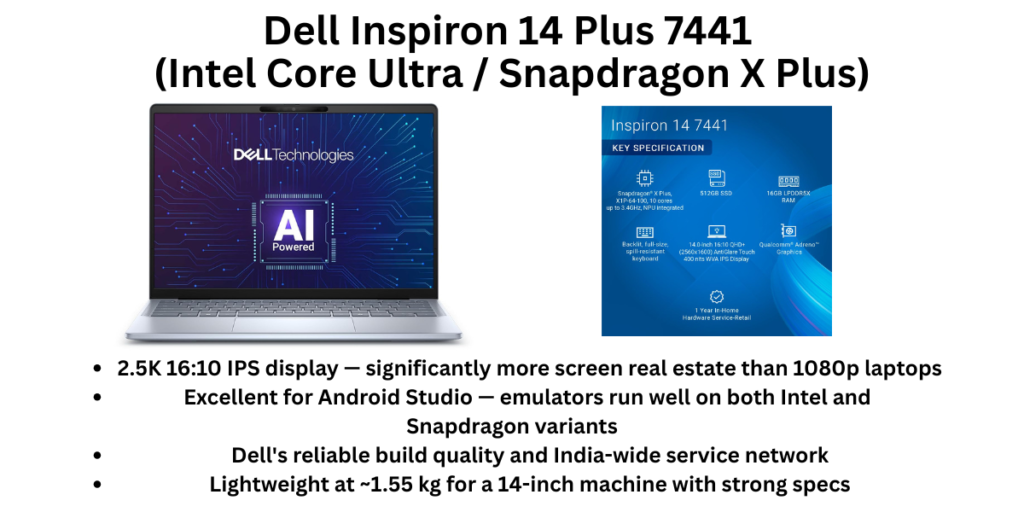
The Dell Inspiron 14 Plus 7441 entered 2026 as a genuinely compelling mid-premium option for developers, and it earns its place on this list for a specific and underappreciated reason: its 2.5K (2560×1600) 16:10 IPS display is one of the best panels available in this price range on a Windows laptop. For Android developers who spend hours in Android Studio staring at emulators and XML layouts, or full-stack developers managing multiple browser tabs and design references side by side, that extra resolution and aspect ratio is a meaningful daily quality-of-life improvement.
The Snapdragon X Plus variant deserves particular mention for Indian developers. The Dell XPS 14 (and by extension Dell’s Snapdragon-based Inspiron line) has been specifically noted as a powerhouse for Android developers who prefer Windows, with the ARM-based platform offering improved emulator performance and battery efficiency. Snapdragon X laptops have made significant strides in 2025–2026 with app compatibility, and for most development workflows — web, mobile, cloud-native — they work without the friction they had at launch. Just verify your specific tools (IDEs, Docker, specialty software) have ARM-compatible versions before committing.
The Intel Core Ultra variant is the safer bet for compatibility and is well-specced: Core Ultra 5 or 7, 16–32GB LPDDR5X RAM, 512GB–1TB SSD, and Dell’s solid build quality at a more manageable weight (1.55 kg) than many 14-inch business laptops.
Dell’s service network in India is one of the strongest, with physical service centres in most major cities and a generally responsive warranty process. For students and developers who can’t afford extended downtime if something goes wrong, this matters.
✅ Pros
- 2.5K 16:10 IPS display — significantly more screen real estate than 1080p laptops
- Excellent for Android Studio — emulators run well on both Intel and Snapdragon variants
- Dell’s reliable build quality and India-wide service network
- Lightweight at ~1.55 kg for a 14-inch machine with strong specs
- Good port selection including Thunderbolt 4 on Intel variants
- 16:10 display ratio means more lines of code visible simultaneously
❌ Cons
- Snapdragon X variant has occasional app compatibility gaps — verify your tools first
- Display, while sharp, is not OLED — contrast and colour vibrancy behind Zenbook 14
- Fan can spin up noticeably under heavy compilation loads
- Battery life is good but not exceptional (~8–10 hours practical use)
- Premium pricing for the Snapdragon variant doesn’t always justify over Intel
🎯 Who Should Buy It?
Android developers, front-end developers who work heavily with design references and multiple windows, and developers who want a sharp display and Dell’s service reliability without crossing the ₹1 lakh threshold. Also a strong pick for developers in tech hubs (Bangalore, Hyderabad, Pune) who value service centre proximity and brand reliability.
#5 — HP Pavilion Plus 14 (Intel Core Ultra 5 / i5 13th Gen)
⚡ Best Mid-Range Programming Laptop — Solid Value, Trusted Brand 💰 Price: ~₹65,000–₹75,000 (16GB / 512GB variants)
Overview
The HP Pavilion Plus 14 occupies a specific position in the Indian programmer’s market: it’s the machine you buy when you want something meaningfully better than a basic student laptop, but the Zenbook 14 and MacBook Air are genuinely out of budget. And it delivers that upgrade convincingly.
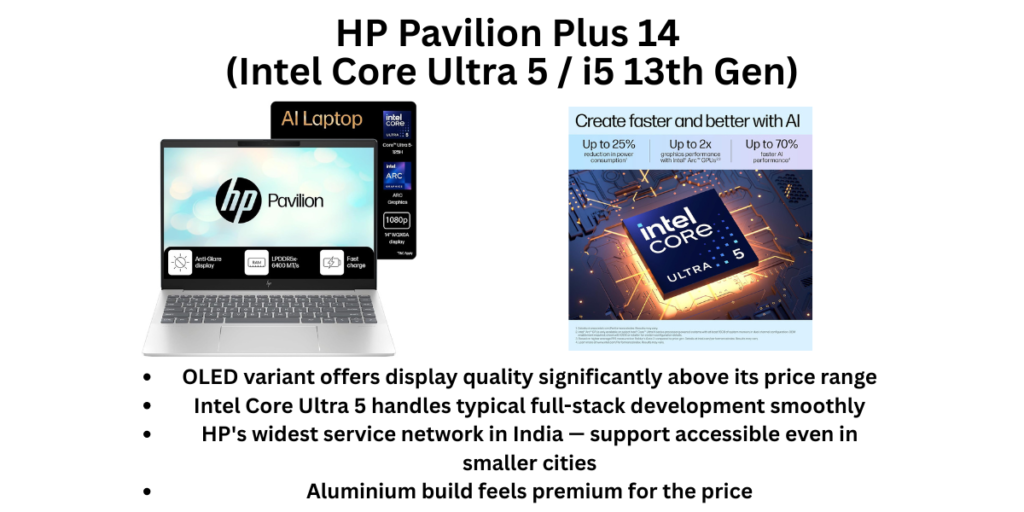
The 14-inch 2.8K OLED or 2.2K IPS display (depending on variant) is a standout at this price — the OLED variant in particular brings display quality that punches above the Pavilion Plus’s price tag. For programmers doing front-end work, UI/UX development, or simply spending 8 hours daily reading code, this display is noticeably more comfortable than the 1080p IPS panels common in similarly priced laptops.
The Intel Core Ultra 5 (125H or equivalent) handles typical developer workloads well — VS Code, multiple browser tabs, a local server, and Docker containers coexist without visible lag. HP’s thermal management on the Pavilion Plus is generally well-tuned, keeping things quiet during sustained work. The keyboard is comfortable with decent travel, backlit for night coding sessions, and the overall build — aluminium top panel — feels significantly more premium than the price suggests.
HP’s service network is the widest of any laptop brand in India, including Tier 2 and Tier 3 cities. If you’re a developer in Nagpur, Surat, Lucknow, or Coimbatore, HP’s local support availability is a meaningful practical advantage that Lenovo’s business line and ASUS come closest to matching.
The limitations are real: the base RAM configuration should always be 16GB (avoid 8GB variants), and the SSD on some configurations is SATA rather than NVMe — always confirm before purchasing. Battery life is adequate at 7–9 hours but not exceptional.
✅ Pros
- OLED variant offers display quality significantly above its price range
- Intel Core Ultra 5 handles typical full-stack development smoothly
- HP’s widest service network in India — support accessible even in smaller cities
- Aluminium build feels premium for the price
- Competitive pricing — often available with bank card discounts below ₹65,000
- Backlit keyboard is comfortable for extended coding sessions
❌ Cons
- Confirm SSD type before buying — some variants use SATA, not NVMe
- 8GB RAM variants exist — absolutely avoid these; only buy 16GB
- Battery life is adequate but not exceptional (~7–9 hours)
- Not ideal for machine learning, heavy Docker orchestration, or Android emulators under sustained load
- Port selection could be better — may need a hub for external displays
🎯 Who Should Buy It?
Computer Science students, junior developers, and web development learners in Tier 2/3 cities where HP’s service network is the most accessible safety net. Also an excellent choice for developers doing front-end, Python scripting, and lightweight full-stack work on a ₹65,000–₹75,000 budget. The OLED variant is particularly worth targeting for anyone who cares about display quality.
#6 — Lenovo IdeaPad Slim 5 (Intel Core Ultra 5, 2025)
🎓 Best Budget Programming Laptop for CS Students and Beginners 💰 Price: ~₹55,000–₹70,000 (16GB / 512GB variants)
Overview
Recommending the IdeaPad Slim 5 for programming feels almost unfair to this laptop — it’s a machine that consistently delivers more than its price suggests, and for students entering their first programming courses or developers starting out, it sets them up far better than the budget alternatives.
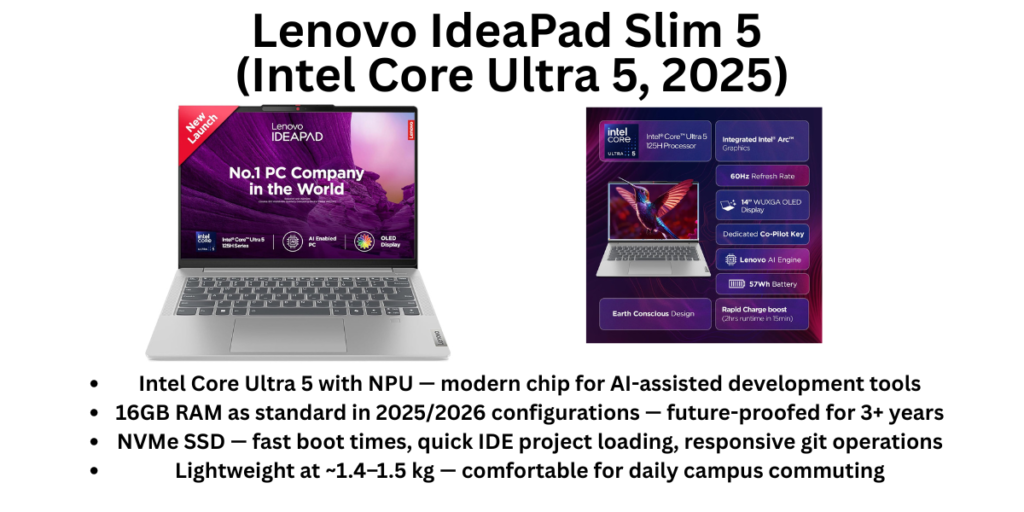
The 2025 IdeaPad Slim 5 with Intel Core Ultra 5 (or in some configurations, AMD Ryzen 7) brings a generation-fresh chip into a sub-₹65,000 package. The NPU built into the Core Ultra 5 means AI coding assistants (GitHub Copilot, local inference tools) run more efficiently, which matters in 2026 as these tools become standard in developer workflows. 16GB RAM and 512GB NVMe SSD across current configurations mean students won’t hit the RAM wall that would render an 8GB machine frustrating within months.
The 14-inch or 16-inch FHD display (depending on variant) is an anti-glare IPS panel — functional, clear, and comfortable for extended use without eye strain. The keyboard, while not at ThinkPad levels, is above average for this price range and pleasant to type on through long coding assignments and projects.
What sets the IdeaPad Slim 5 apart from other budget options is Lenovo’s reliability track record and service network. Lenovo has strong authorised service presence in most Indian cities, and the IdeaPad line has a solid reputation for lasting through 3–4 years of college use without significant hardware issues. The build is mostly plastic but robust, and the weight (under 1.5 kg on the 14-inch) makes daily commuting manageable.
For students learning C++, Java, Python, or JavaScript — the bread-and-butter of engineering curricula in India — this laptop handles all of it without complaint. Running Android Studio is possible, though emulators will be slower than on machines with more thermal headroom.
✅ Pros
- Intel Core Ultra 5 with NPU — modern chip for AI-assisted development tools
- 16GB RAM as standard in 2025/2026 configurations — future-proofed for 3+ years
- NVMe SSD — fast boot times, quick IDE project loading, responsive git operations
- Lightweight at ~1.4–1.5 kg — comfortable for daily campus commuting
- Lenovo’s reliable service network across India
- Competitive pricing — often available under ₹60,000 with bank discounts
- Great balance of build quality and portability for the price
❌ Cons
- Not suitable for heavy ML training, large Docker orchestration, or 3D rendering
- Display is standard FHD IPS — adequate but not impressive; no OLED option
- Integrated graphics only — GPU-intensive development workflows will struggle
- Build is primarily plastic — doesn’t feel as premium as ThinkPad or Zenbook
- Battery life is decent (~7–9 hours) but varies based on workload
🎯 Who Should Buy It?
CS/IT engineering students in first or second year, bootcamp learners, and beginner developers who need a capable coding laptop under ₹65,000. Also the right pick for parents buying a programming laptop for a child entering college — it’s reliable, repairable, and won’t embarrass itself against more expensive classmates’ machines. If your programming workload is: web development, Python/Java courses, competitive programming, and light data analysis — this machine handles all of it well.
Final Verdict: Which Programming Laptop Should You Buy?
Let’s make this as clear as possible:
Buy the MacBook Air M4 if you’re working in web development, DevOps, iOS development, or Python/data science, you have ₹90,000–₹1,10,000 to spend, and you can work within the macOS ecosystem. The battery, performance-per-watt, and keyboard make it the best programming laptop available in India for most developers who aren’t Windows-dependent.
Buy the ASUS Zenbook 14 OLED if you need or prefer Windows, you’re doing full-stack, Java, .NET, or enterprise development, and you want the best display-and-performance combination in the Windows ultrabook space. The 32GB variant is particularly compelling for developers who run heavy containerised workflows.
Buy the Lenovo ThinkPad E14 Gen 7 if you’re a backend developer, DevOps engineer, or system programmer who wants the best keyboard money can buy at this price, needs native Linux support, or works in a corporate environment with enterprise security requirements. The AMD+DOS variant is the best value Linux laptop in India.
Buy the Dell Inspiron 14 Plus if Android development is a significant part of your workflow, display quality matters as much as performance, and you want Dell’s India-wide service reliability at a mid-premium price.
Buy the HP Pavilion Plus 14 if you’re in a Tier 2 or Tier 3 city where HP’s service network is your best support option, your budget is ₹65,000–₹75,000, and you want a display upgrade over standard budget laptops.
Buy the Lenovo IdeaPad Slim 5 if you’re a CS student just starting out, your budget is under ₹65,000, and you need something dependable, portable, and capable for 3–4 years of engineering coursework.
One Thing Every Developer Should Do Regardless of Which Laptop They Choose
The single most impactful thing you can do after buying any programming laptop: configure your development environment properly from day one. Use a package manager (Homebrew on macOS, Winget or Scoop on Windows, APT/Pacman on Linux). Version-control your dotfiles. Set up SSH keys and Git properly. These things take 2 hours on day one and save 100 hours over the laptop’s lifetime.
The laptop is your tool. How you configure it determines how well it serves you.
Prices are indicative as of April 2026. Indian laptop pricing shifts frequently with GST, import duties, and exchange rates. Always verify current prices on Amazon India, Flipkart, and Croma before purchasing. Bank card EMI offers and educational discounts (especially on Apple products) can meaningfully reduce effective costs.
Also read: 6 Best Gaming Laptops Under ₹70,000 in India (2026)